19617-001 Rev. H DiagnosticPRO Edge User’s Guide 10
Using the multi-film feeder
The DiagnosticPRO Edge with multi-film feeder can accept stacks of up to 25 films of
mixed sizes. It can also accept single films.
Note: The digitizer cannot scan films smaller than 5" x 7"
(12.7cm x 17.8cm). When loading small films, the vertical
dimension must be at least 7" (17.8cm).
CAUTION: Do not load more than 25 films at one time.
1. Ensure the LED on the front of the digitizer is solid green.
2. Hold the film stack (or single film) in front of you
as you would view the films on a light box.
Films at the back of the stack are digitized first.
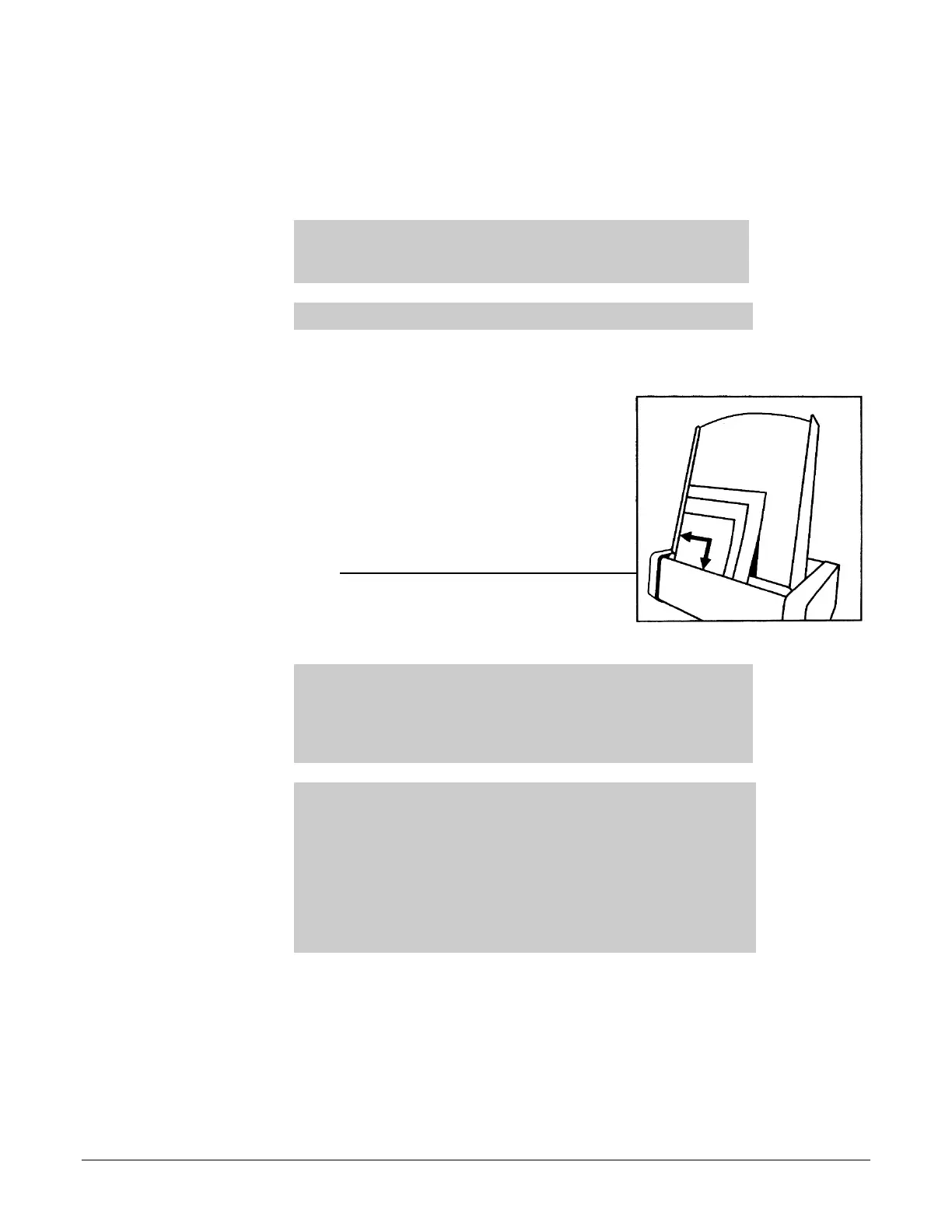
3. Align the left edge of the film stack with the film
guide on the left edge of the feeder.
4. Place the film stack in the door’s film loading
channel.
The film loading channel is along the top of the
digitizer’s door in front of the feed tray.
Note: If you are digitizing a single film, place the film either in
the door film loading channel (as you would for a stack of films),
or insert the film directly into the digitizer, depending on the
instructions from your scanning application. If no instructions
are given, place the film in the door’s film loading channel.
Note: When a film has been staged, it is in the digitizer’s light
path. The ADC (Automatic Digitizer Calibration) feature requires
that the light path be clear of the film for proper background
calibration of the digitizer. The digitizer will automatically adjust
the film’s position to properly proceed with ADC. Depending on
the location of the film’s leading or trailing edge, and the length
of time the film has been blocking the light path, the film will be:
a) pushed up, b) pushed down, or c) ejected to remove the film
from the light path.
5. Using your scanning software, execute the Digitize or Scan command.
The LED will flash green rapidly, indicating the first scan is in progress.
When the first scan is complete, the second film will be scanned and so forth, until the
last film has been scanned.
When the entire batch has been scanned, the LED will return to solid green.


 To Next Page