19617-001 Rev. H DiagnosticPRO Edge User’s Guide 22
Cleaning the diffuser
Note: Use this procedure only when you observe streaks in
images, or when the digitizer’s LED flashes amber.
Note: Use this procedure only for DiagnosticPRO Edge
digitizers with serial numbers between 380,000 and 389,999.
IMPORTANT: You must follow these instructions when
cleaning the diffuser. Deviation from these instructions will void
the product’s warranty and will likely result in costly repairs.
You will need:
Lint-free wipes (VIDAR part number 15194).
1. Shut down the system:
a. Shut down and turn off the PC.
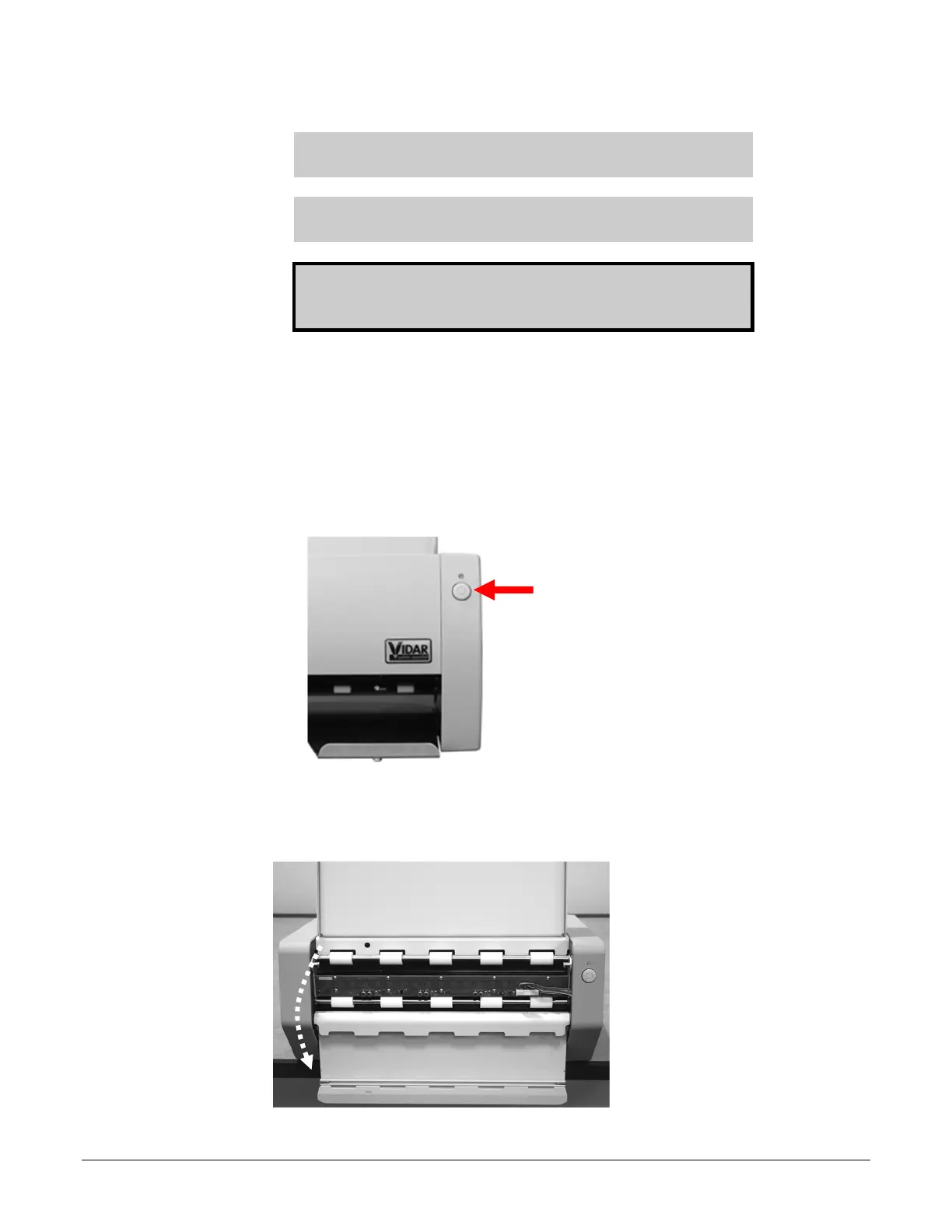
b. Turn off the digitizer using the power switch on the front panel: press and hold for
two seconds.
c. Disconnect the power cable and USB cable from the rear of the digitizer.
2. Open the front panel by pulling its top edge.


 To Next Page