45
5461 889 - 16
Vitodens 222-F, B2TB 19, 35, 68, 125 Installation
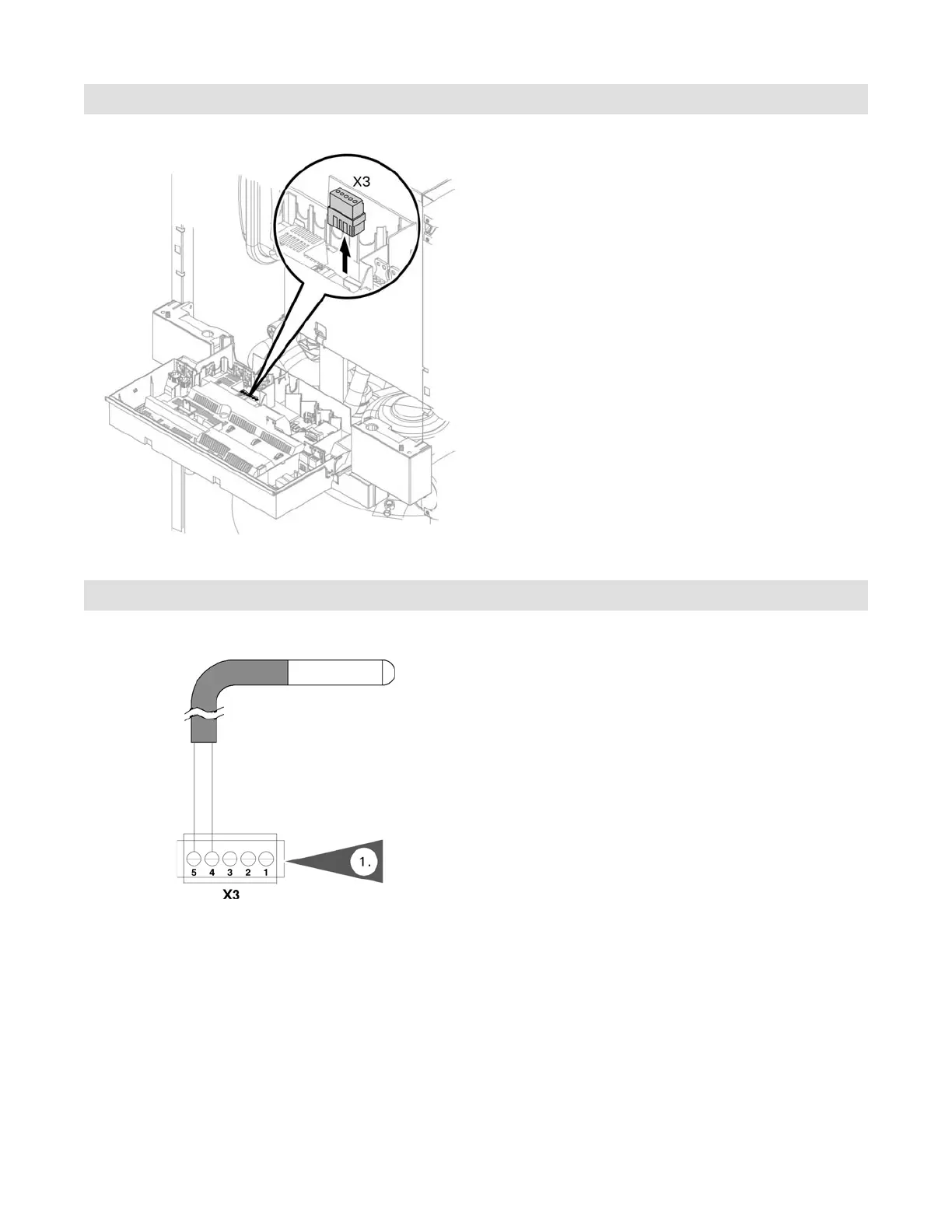
Accessing the X3 Plug
1. Remove the control unit cover (see page 19).
2. Remove the X3 plug from the control board. Attach
sensors and reinsert the X3 plug. Refer to the
following sensor information.
3. Reinstall the control cover.
1. Connect the low-loss header sensor (if used) to
terminals X3.4/X3.5 on the boiler control board.
Connecting the Low-loss Header Sensor
Control Connections




 To Next Page