33
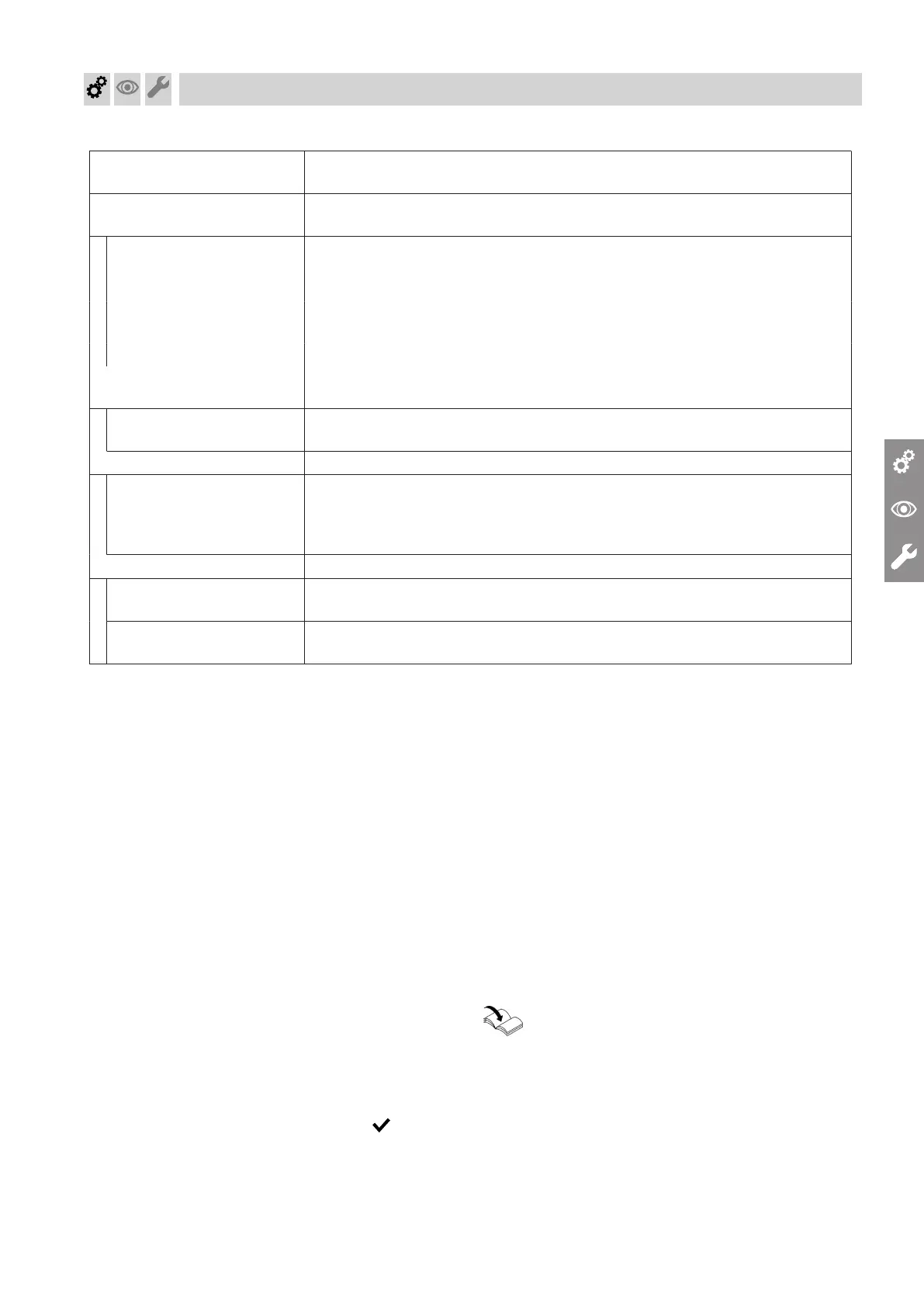
Commissioning assistant
sequence
Explanations and references
Floating contact: Function
selection plug 96
If a contact has been connected to plug 96 of the HMU heat management
unit.
■
No function
■
External demand, DHW
circulation pump
Pushbutton function, DHW circulation pump runs for 5 min.
■
External demand Heat generator demand with adjustable set flow temperature (parameter
528.0) and set primary pump speed (parameter 1100.2)
■
External blocking
EM-EA1 (DIO): Function se-
lection
If an EM-EA1 extension (DIO electronics module) is connected as a function
extension.
Functions Selection of the connected function according to the table in the EM-EA1 ex-
tension installation instructions.
Remote control units
Set the type of remote control and subscriber no. as assignment to the re-
spective heating circuit. Up to 3 heating circuits can be assigned to one re-
mote control unit. It is not possible for several remote controls to act on one
heating circuit.
Maintenance
Interval in burner hours run
until next maintenance
Interval adjustable in steps of 100 h.
Interval until next mainte-
nance
Interval adjustable to 3, 6, 12, 18 or 24 months.
Automatic flue gas temperature sensor check
The display shows: "Testing, flue gas temperature
sensor" and "Enabled".
If the flue gas temperature sensor is not positioned
correctly, fault message F.416 appears.
For further details regarding the flue gas temperature
sensor test, see "Repairs".
Note
If fault message F.416 continues to be displayed
although the flue gas temperature sensor is correctly
positioned: Initial commissioning may result in burner
faults e.g. caused by air in the gas line. Eliminate the
fault and reset the appliance.
Note
The burner remains locked out until the test has been
passed.
When the fault has been remedied, turn the ON/OFF
switch off and back on again.
Confirm the commissioning assistant with .
Switching WiFi ON/OFF
The appliance is equipped with an integrated WiFi
communication module with extended type plate.
The internal communication module supports commis-
sioning of the heat generator with the "ViStart app",
connectivity with the "ViCare app" and the connection
to the digital service centre "Vitoguide".
The access details required for establishing a connec-
tion are recorded in the form of an access code with
"WiFi symbol". Three copies of this code are located
on the rear of the programming unit.
Before installing the programming unit, remove the
access code labels from the rear. For commissioning,
affix one label to the space marked out on the type
plate.
Switch on the WiFi connection and establish a connec-
tion to the router; see also page 25.
Activating the internet connection:
Operating instructions
Affix a further credentials label here, so it can be found
for subsequent use:
Commissioning, inspection, maintenance
Commissioning the system (cont.)
6151778




 To Next Page