35
Oponal Connecons
The ViewBoard comes with an OPS Slot as well as a Wi-Fi Slot for oponal add-ons
such as a slot-in PC (e.g., VPC-25-O) or Wi-Fi card (e.g., VB-WIFI-001).
Slot-in PC (OPS Slot) Installaon
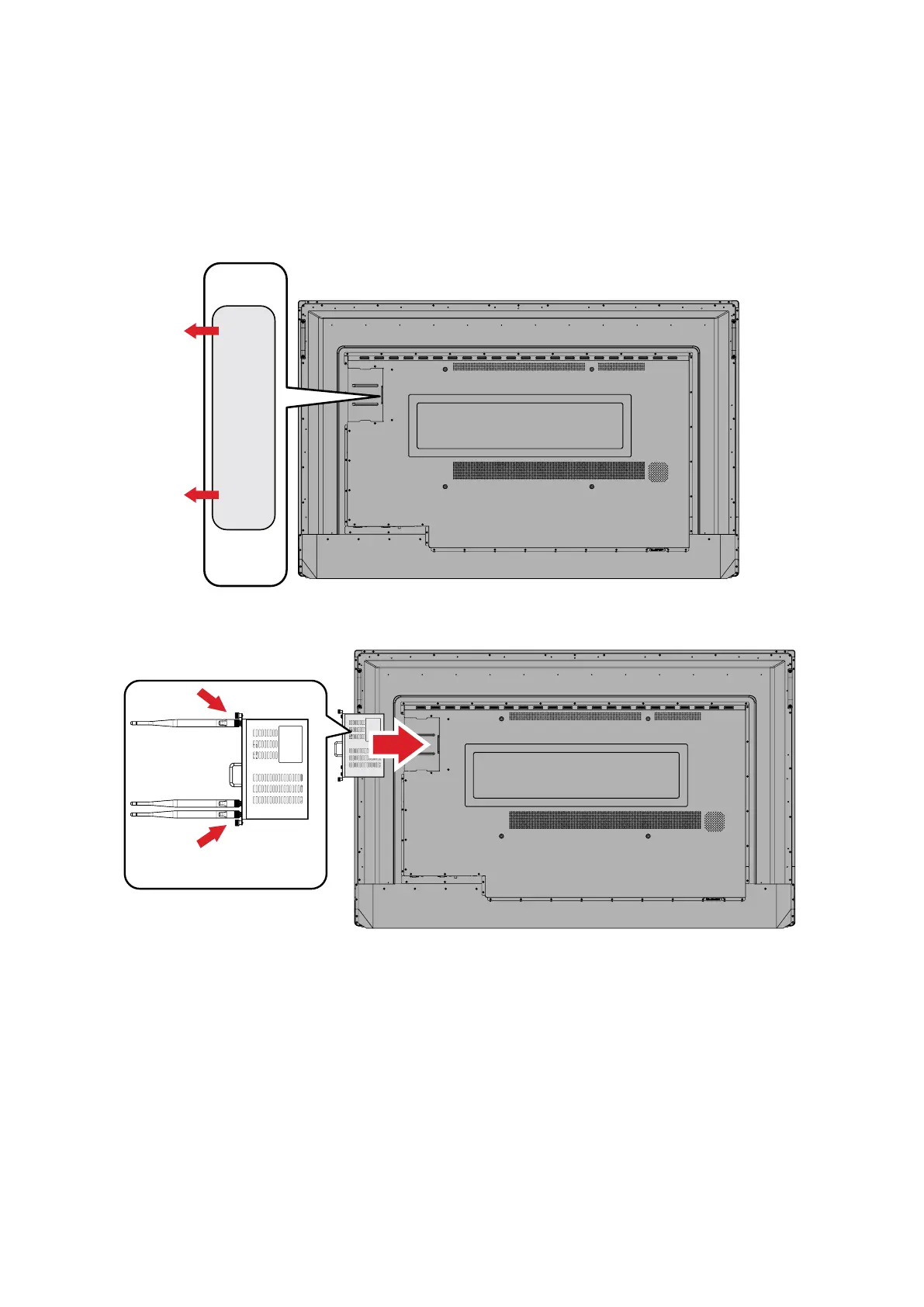
1. Remove the OPS Slot cover of the display.
2. Carefully insert the slot-in PC into the OPS Slot of the display.
3. Secure the slot-in PC to the display.




 To Next Page