56
ViewBoard Sengs
The ViewBoard input source is the default source that is acve when turning on the
ViewBoard. Press MENU on the remote control or tap the seng icon ( ) next to
the input source in the On-Screen Display (OSD) Menu’s Input Sengs to enter the
Sengs menu.
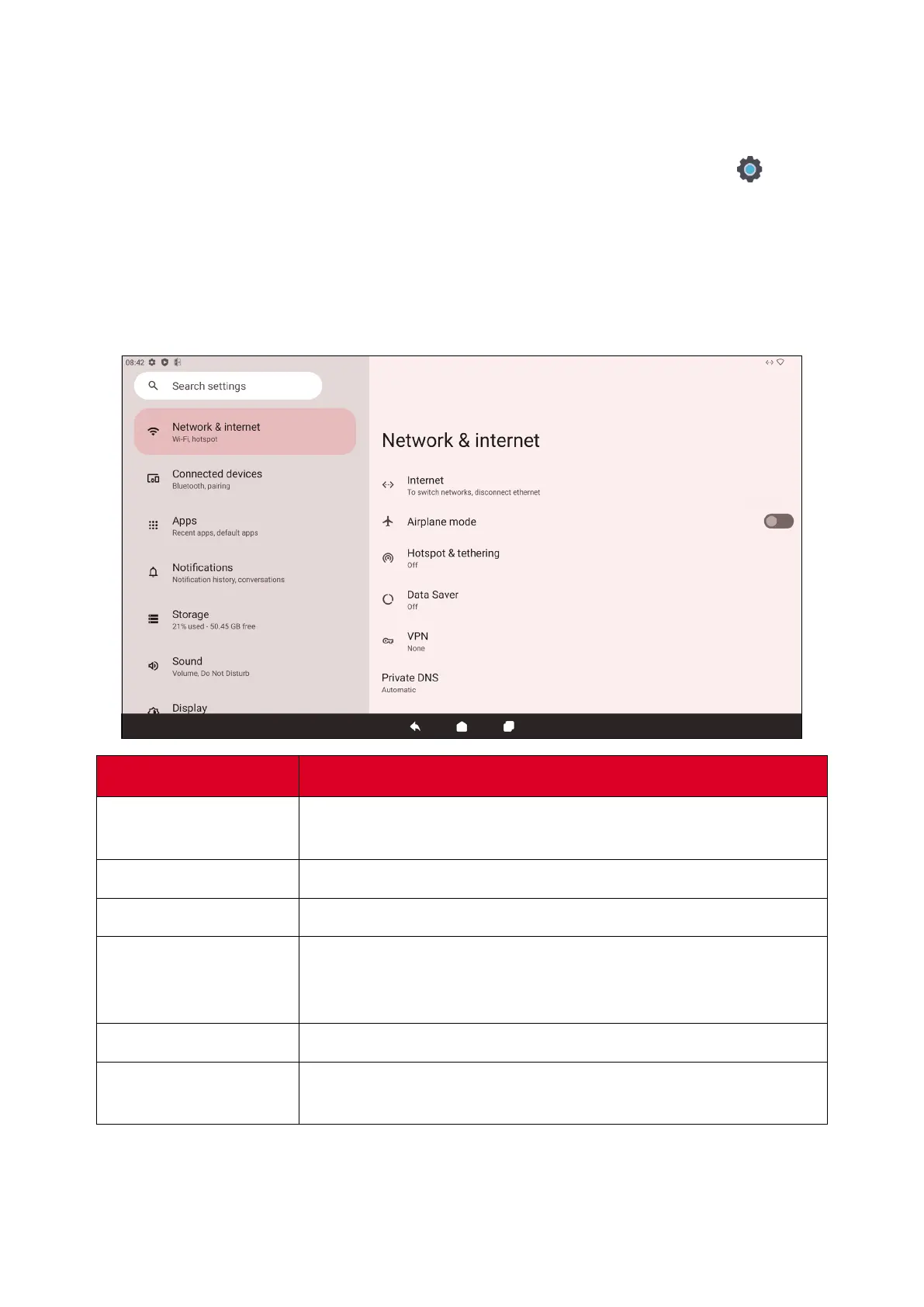
Network & Internet
Check current connecon status, set up and manage Wi-Fi, Ethernet, VPN, and
wireless Hotspot.
Item
Descripon
Internet
Set up and manage Ethernet and Wi-Fi connecon, as well as
Network preferences.
Airplane Mode
When enabled, all wireless communicaon will be turned o.
Hotspot & Tethering
Set and share your internet connecon with other devices.
Data Saver
When enabled, most apps and services will get background
data via an internet connecon. Acve apps will not be
aected.
VPN
Set up and manage Virtual Private Networks.
Private DNS
Maintain an Automac Private DNS or set one up manually for
security and privacy.




 To Next Page