EasyManua.ls Logo

vimec V59 - Save and Restore Parameters

Default Icon
21 pages
Print Icon
To Next Page IconTo Next Page
To Previous Page IconTo Previous Page
Loading...
Page 11
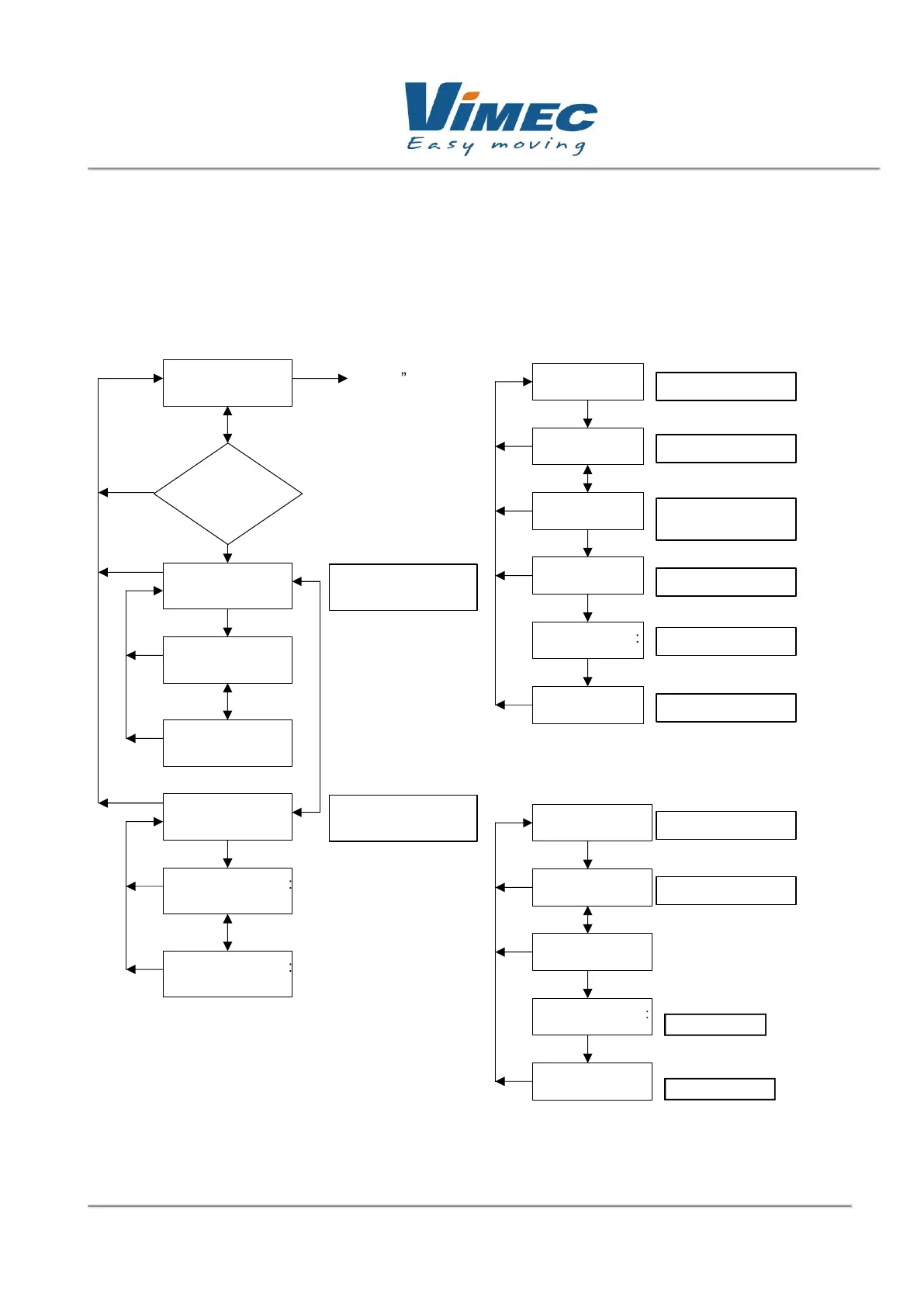
2.4 "SAVE/RESTORE" menu
In the console, "upload param" saves up to 9 settings, linking each of them with a sequence number
from 1 to 9. With "download param" you can choose one of the programs saved from 1 to 9, and
download it to the motor control.
Figure 7: "SAVE/RESTORE" submenu block diagram.
Main
menu
Select mode:
Save/restore
Esc
Enter
Enter
Password
No
Ye
s
Upload param.:
Start?
Upload selec.:
0.------ -----
-
Enter
Upload selec.:
9.------ -----
-
Up
Down
Download
param.:
Download selec.:
0.------ -----
-
Enter
Download selec.:
9.------ -----
Up
Down
Esc
Up
Down
Upload
param:
Enter
Upload selec.
1.
------
---
Upload selec.
X: VIM_V59
-
Upload selec.:
………
Upload selec.
9.
------
---
Start upload
Up/Down
Select file
Enter
Write file name
Double Enter
Upload
param:
Upload end
Uploading
Upload
Download
param:
Enter
Download selec.:
Download selec.:
………
Download selec.:
Start download
Up/Down
Select file
Double Enter
Download
param:
Download end
Downloading
Down
load
Edit then ok it
saved
Edit then ok it
downloaded
Edit then ok it
saved
Esc
Esc
Esc
Esc
Esc
Esc
Esc
Esc
Esc
Esc
Esc
Esc

Related product manuals