A100K 10430 v.1.0 ACM Telephone System – AMC-M-A Page 21
5.2.5 Data communication
In order to establish communication between the PC and the exchange,
the PC must be connected to the ACM exchange.
z Connect the PC to the Eth0 port in the ACM exchange
- When the PC is connected to the ACM, the AlphaPro
communication program can be opened.
Note! During data transfer to the ACM, it is not possible to modify
configuration data in the ACM.
Establish data communication
z Click on the Connection icon
- The Communication window appears
- The connection is confirmed when the communication is
established, the buttons will then become active.
Get information from the exchange
When the exchange is defined, an AlphaPro configuration database is
created with factory default settings.
z Click on GetAll to download all data from the exchange.
Send information to the exchange
When the desired changes to the programming are done, the new
configuration must be loaded into the exchange.
z Click on SendAll to send all data
z Click on SendChgd to send changed data only
- An icon in the lower left corner flashes during transmission.
z The transmission may be stopped by clicking Cancel
- The Cancel key changes to OK when the transmission is finished.
z Click on OK
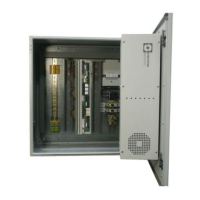
Figure 17 PC connection to the
Eth0 port in ACM
Eth 0
Eth 1
Serial Port 0
Serial Port 1
USB
485 422
Eth0


 To Next Page
 Loading...