2560 * 1440P 30fps;1920 * 1080P 30fps
Record video from frames captured at specific time intervals to conserve
memory and reduce the time it takes to review video. The default is off.
Recording will begin automatically after powering on with a microSD card
in the device. Each recorded file is up to three minutes long, with old
footage being replaced when microSD card storage is full.
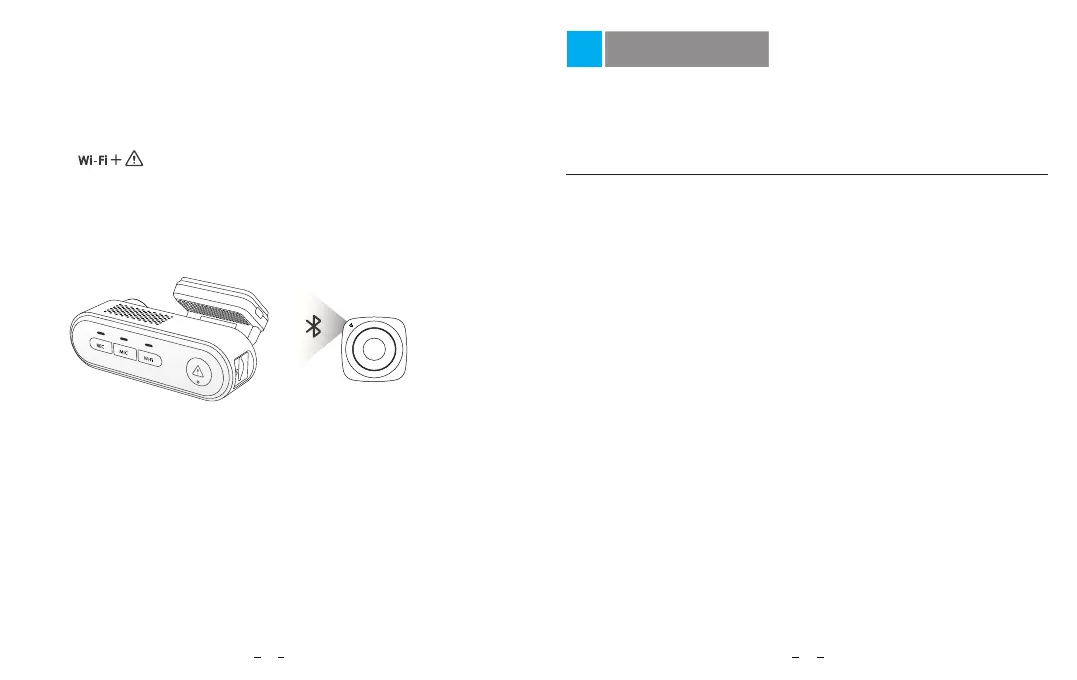
The remote control has an adhesive mount on the back, choose a
suitable location on your dashboard to stick it to. Power on the camera,
press [ ] buttons to enter Bluetooth pairing mode and then
press the video lock button on the remote control for 3 seconds to pair it
with the camera, the LED indicator on the remote will turn blue if
successfully paired.
Camera setup is available in the VIOFO App. Connect the
App as above, stop recording, then enter the settings menu.
Video Setting
• Video Resolution:
• Time-lapse Recording: Off / 1 / 2 / 3 / 5 / 10 fps.
Turn on and off the microphone. This can also be changed during
recording by pressing the [ ] button.
• Recording Audio:
Adjusting the value of the EV (Exposure Value) properly can create
better footage under different light sources. It ranges from -2.0 to +2.0.
The default is set at 0.0.
• Exposure Value:
• Loop Recording: Off / 1 / 2 / 3 / 5 / 10 minutes.
Install Bluetooth Remote Control
19 20
System Settings
MIC



 To Next Page