40
sections for Post-record time.) Press +/- buttons to select the value (0 – 25 (PAL)
/ 30 (NTSC), discrete).
! Pre-record IPS – the pre-record IPS for this camera if certain event (Video Loss,
Motion, Alarm) occurs for this camera. This camera is recorded at this rate for
Pre-record time before the event occurs. (Please refer to the following sections
for Pre-record time.) For this DVR, the value is always the same as Event
Record IPS. Please note that the total Event Record IPS / Pre-record IPS
should not exceed the system recording capacity, or the system will lower the
actual rate automatically at recording.
! Normal Record IPS – the normal record IPS for this camera. This camera will
be recorded at this rate if no event occurs. Press +/- buttons to select the value
(0 – Pre-record IPS for this camera, discrete). Please note that for High
compression ratio in Pre-Camera setup, Normal Record IPS is always the same as
Event Record IPS.
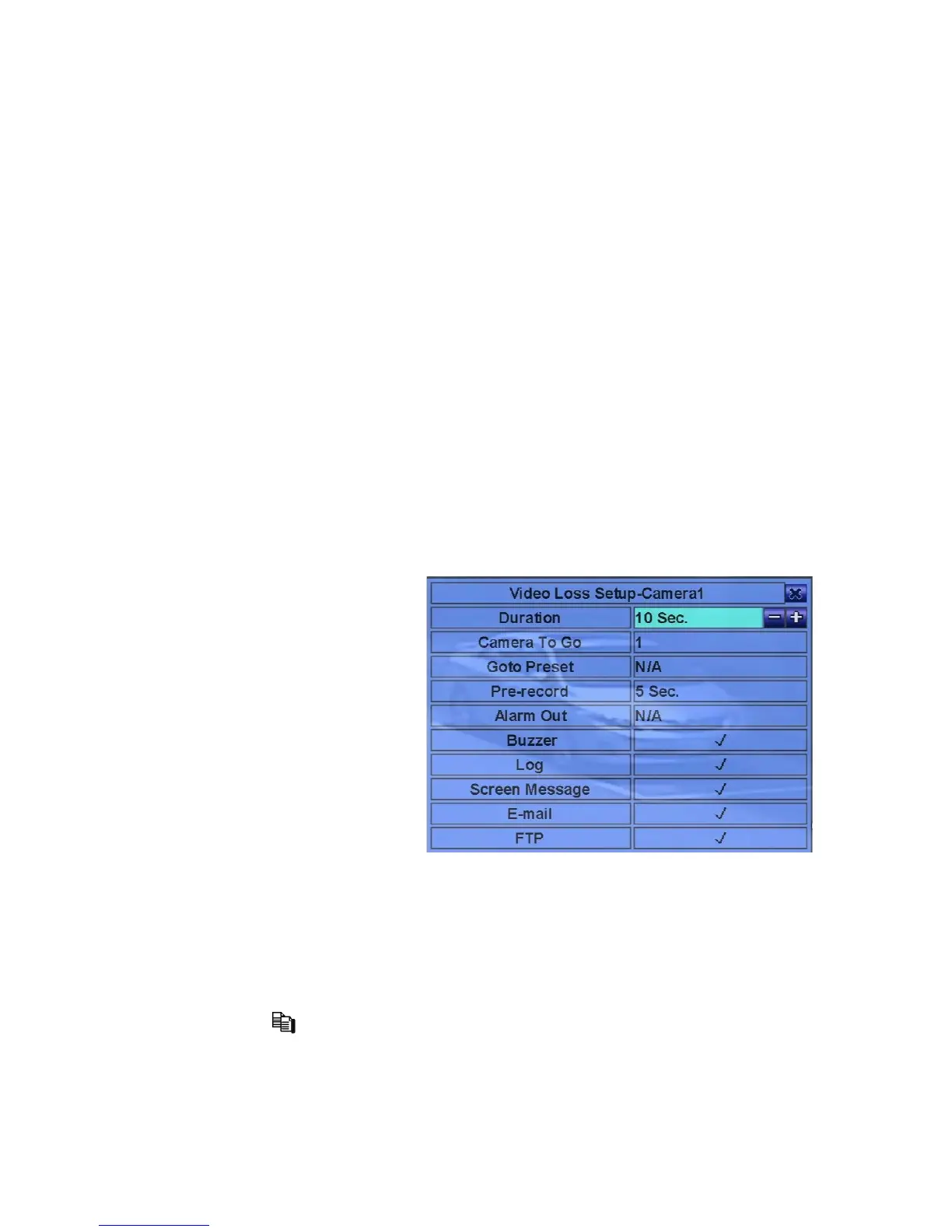
6.2.1 Video Loss Setup
In Camera Setup, press ENTER
to call up Video Loss Setup of
the selected camera as shown
when the highlighted option is
Video Loss Settings.. of the
camera to setup. The Video
Loss Setup allows the
administrator to define how the
system responds to the detected
video loss for the camera.
The general operations are as
below:
! !"(Mouse: Left click)
Press these buttons to select the items.
! Numeric (ENTER)
Press these buttons to select the camera.
! COPY ( )
Press this button to copy the Video Loss settings of the focus camera to all the
following cameras. (EX. focus camera is 5, its Video Loss settings will be
copied to those of cameras 6-16.)



 To Next Page