48
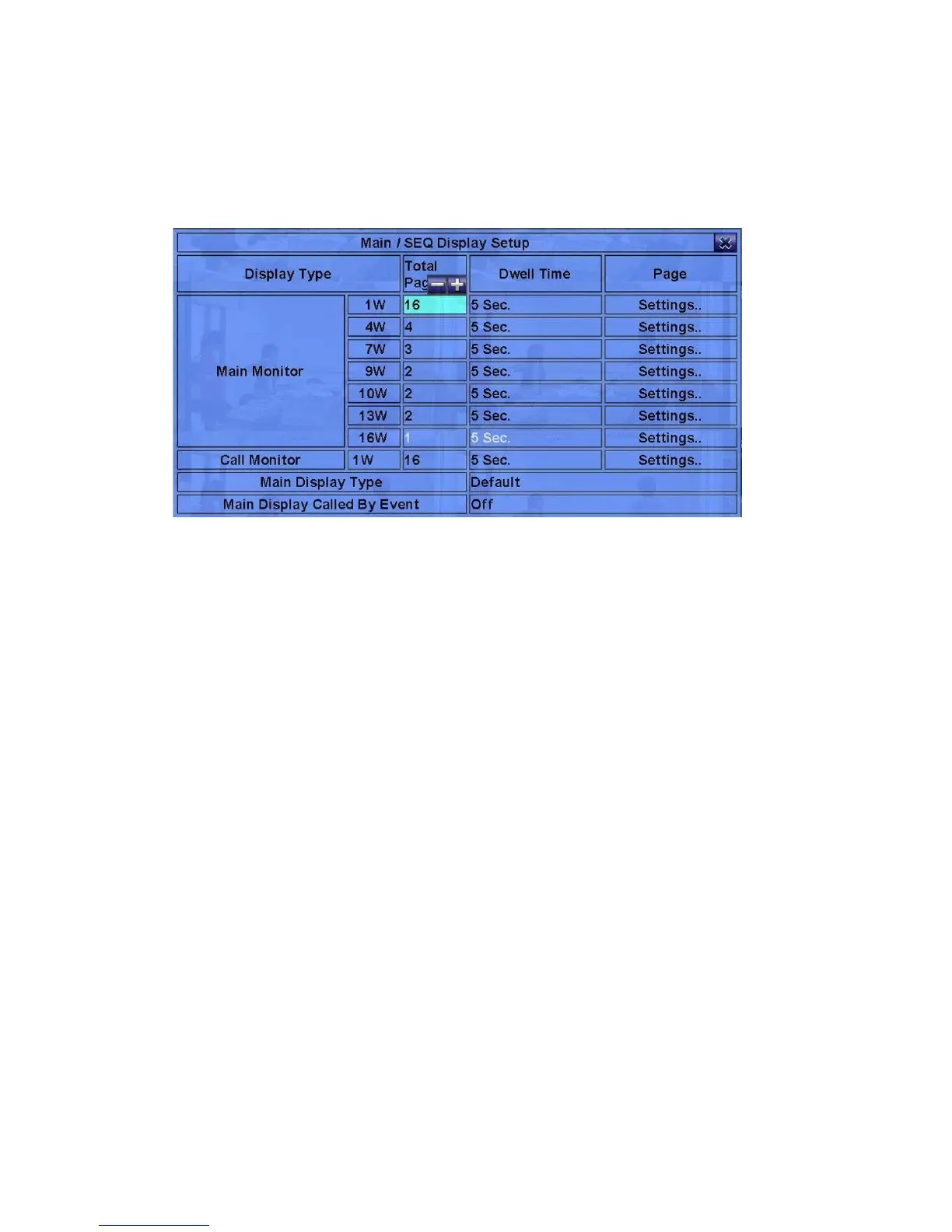
6.4 Main/SEQ Display Setup
In Setup Menu display, press ▲▼◄► to change the highlighted option to
Main/SEQ Display, and then press ENTER to call up Main/SEQ Display Setup.
The Main/SEQ Display Setup allows the administrator to define the display pages in
SEQ Display for main monitor and call monitor. Please note that Call Monitor
supports 1/4 split window display.
The general operations are as below:
! ▲▼◄► (Mouse: Left click)
Press these buttons to select the items.
! ESC (Mouse: Right Click)
Press this button to escape from this screen, and return to Setup Menu display. If
the Save dialog is shown, press ENTER to exit and save, ESC (Mouse: Right
Click) to exit without saving.
Following is a brief description for each item and its specific operations:
! Call Monitor 1/4W – select split window of Call Monitor. Press +/- buttons to
select the desired value.
! Main Display Type – “Default” for default main display type and “SEQ” for
main display to use SEQ settings.
! Main Display Called By Event – to switch the main monitor to the video of the
event camera or not.
! Total Pages – total pages for this SEQ Display Type. The maximum number



 To Next Page