44
the detection area. So, it’s better to enable the whole area if the motion
detection for the camera is disabled (and only Smart Search is used). Press
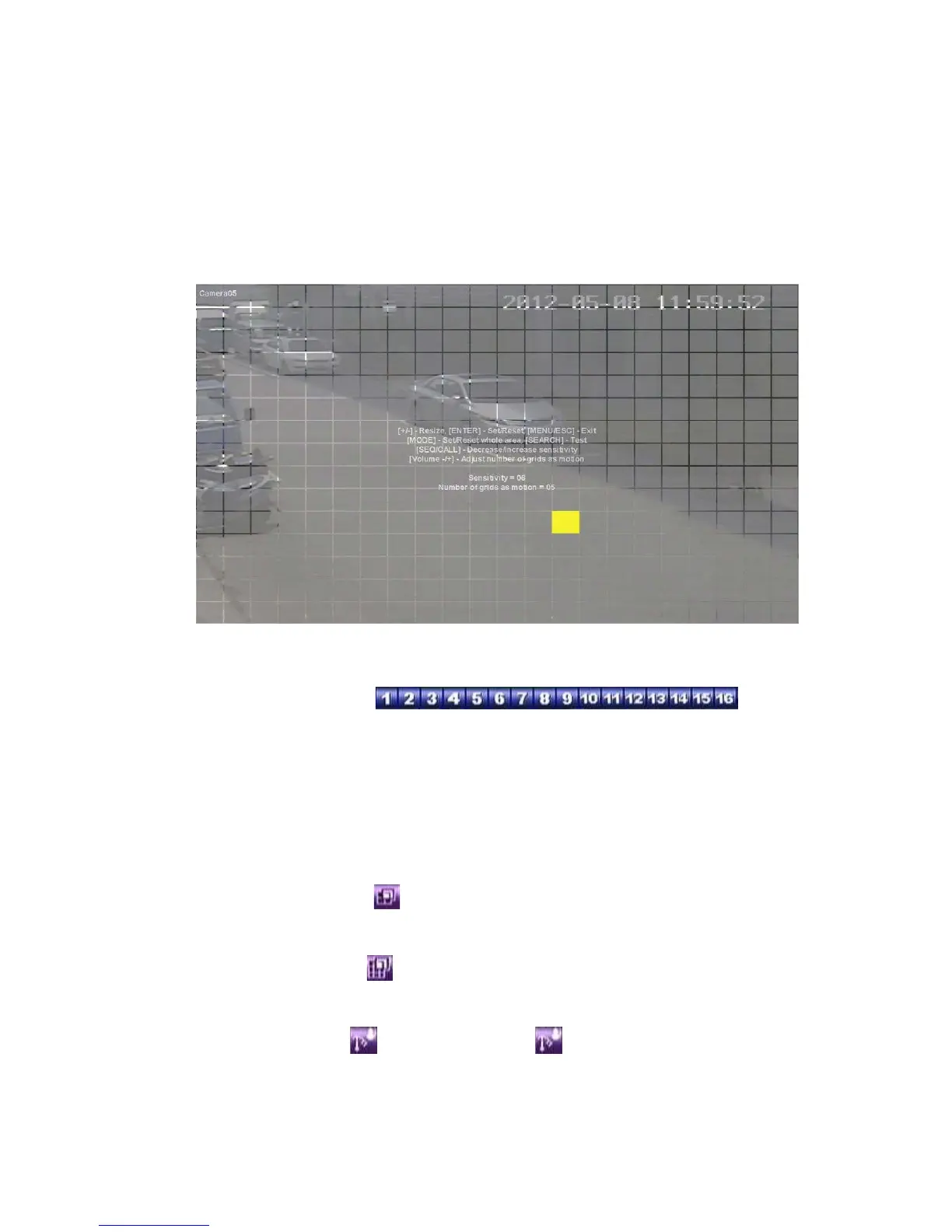
ENTER in Settings.. to call up Motion Detection Setup (as shown) for this
camera. In Motion Detection Setup, the video area is divided into many small
grids, and the area with gray grids is the area which will be detected for motion,
while transparent grids not detected for motion. Besides, there is a (yellow)
Mask window.
Following is a brief description for the operations:
! Numeric (Mouse:
)
Press these buttons to select the camera.
! ▲▼◄►
Press these buttons to move the Mask window.
! +/- (Mouse: Left click and drag)
Press these buttons to resize the Mask window.
! ENTER (Mouse:
)
Press this button to set/reset the area under the Mask window.
! MODE (Mouse: )
Press this button to set/reset the whole video area.
! SEQ (Mouse: ) / CALL (Mouse: )
Press this button to decrease/increase the sensitivity, 1 – 10, for the motion
detection of this camera.



 To Next Page