57
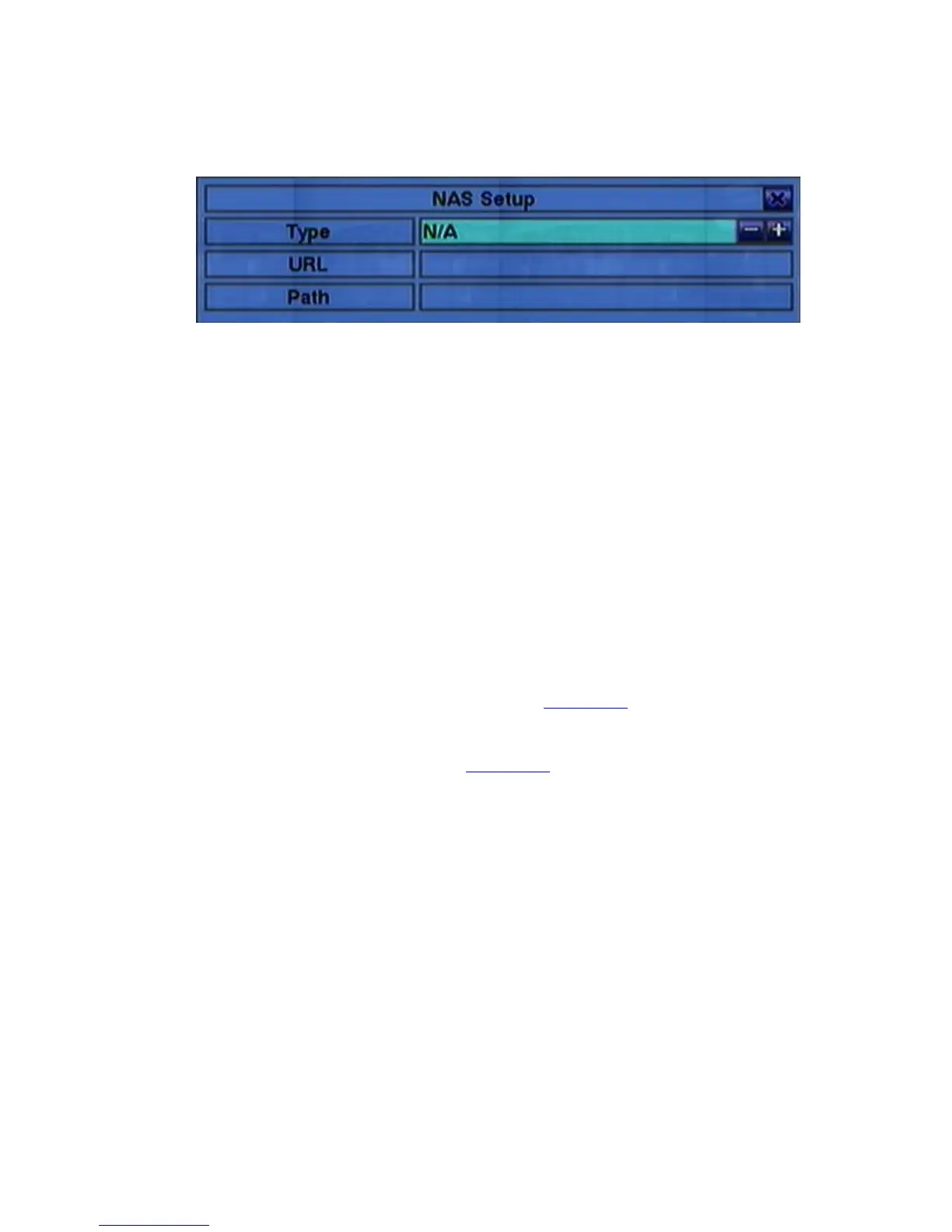
if NAS is connected to the DVR. Press ENTER (Mouse: Left click) in Setup
to call up NAS Setup display as shown.
Following is a brief description for each item and its specific operations:
! ▲▼ (Mouse: Left click)
Press these buttons to select the item.
! ESC (Mouse: Right Click)
Press this button to escape from the NAS Setup dialog. If the Save dialog is
shown, press ENTER to exit and save, ESC (Mouse: Right Click) to exit
without saving. Please note that if the NAS settings are changed, the user
will be asked to reboot the system for the new settings to take effect.
Please also note that the NAS device will be always the last storage in the
HDD list.
! Type – “NFS” or “N/A”. Press +/- buttons to select.
! URL – the URL (Uniform Resource Locators) for the NAS device. Please
follow the Text Input method described in Section 4.1 to modify this item.
! Path – the path in the NAS device to store video/audio. Please follow the
Text Input method described in Section 4.1 to modify this item. Please note
that lowercase and uppercase are treated differently. Besides, ‘/’ is used
for subdirectory.



 To Next Page