75
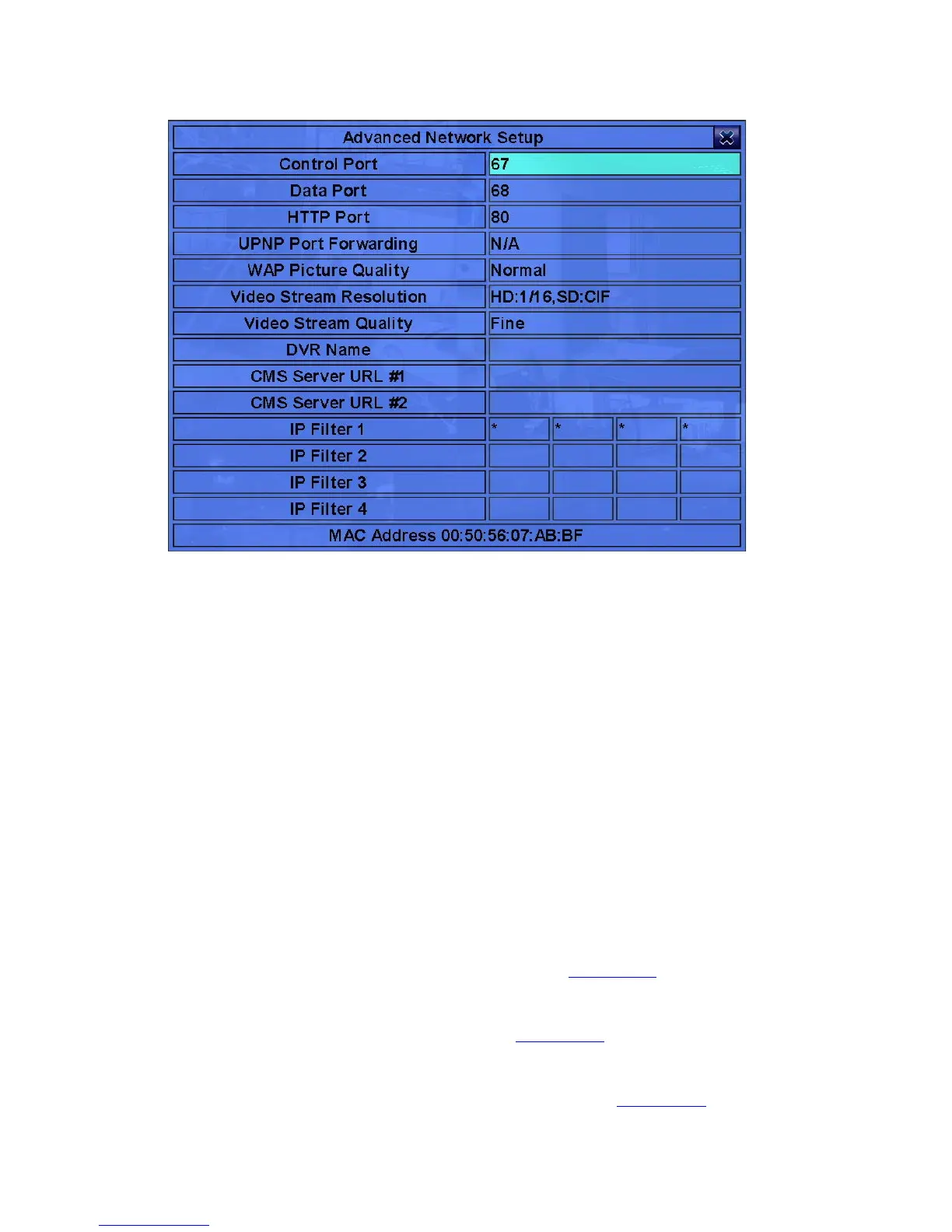
The Advanced Network Setup allows the administrator to set advanced network
parameters. If the user is not familiar with network administration, please DO
NOT modify the items in this dialog.
The general operations are as below:
! ▲▼(Mouse: Left click)
Press these buttons to select the items.
! ESC (Mouse: Right Click)
Press this button to escape from this screen, and return to Network Setup display.
If the Save dialog is shown, press ENTER to exit and save, ESC (Mouse:
Right Click) to exit without saving.
Following is a brief description for each item and its specific operations:
! Control Port – the control port for remote access. The default value is 67.
Please follow the Text Input method described in Section 4.1 to modify this item.
! Data Port – the data port for remote access. The default value is 68. Please
follow the Text Input method described in Section 4.1 to modify this item.
! HTTP Port – the HTTP (web page) port for remote access. The default value is
80. Please follow the Text Input method described in Section 4.1 to modify this



 To Next Page