23
© 2011 Directed Electronics. All rights reserved.
➢ Runtime check
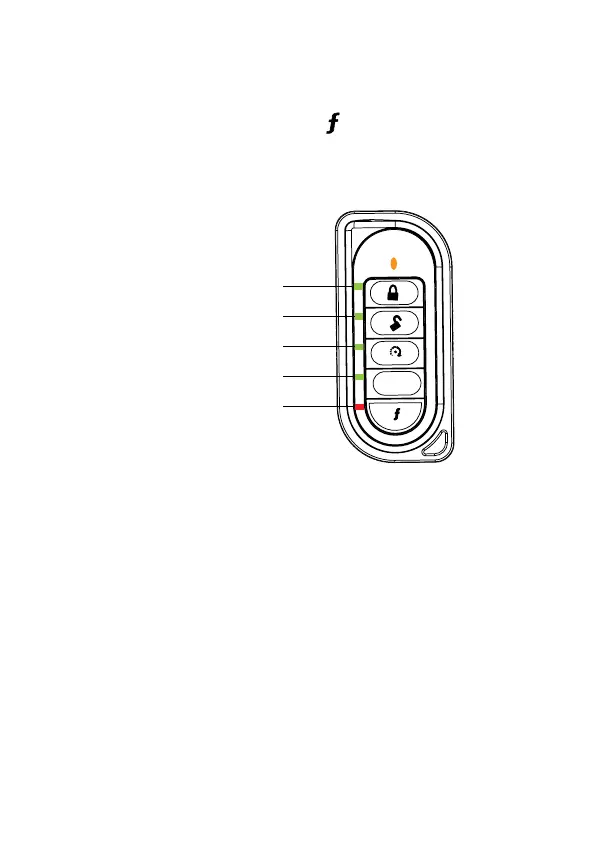
To check the amount of runtime remaining:
After the vehicle is remote started, press the button on the 2-way three-times,
and then hold until the remote beeps, and then release. The LEDs light up to
indicate how much time is remaining.
25% runtime remaining
100% runtime remaining
75% runtime remaining
50% runtime remaining
When the remote
start and Function
LEDs are blinking,
there is less than
three minutes of
runtime left.
AUX



 To Next Page