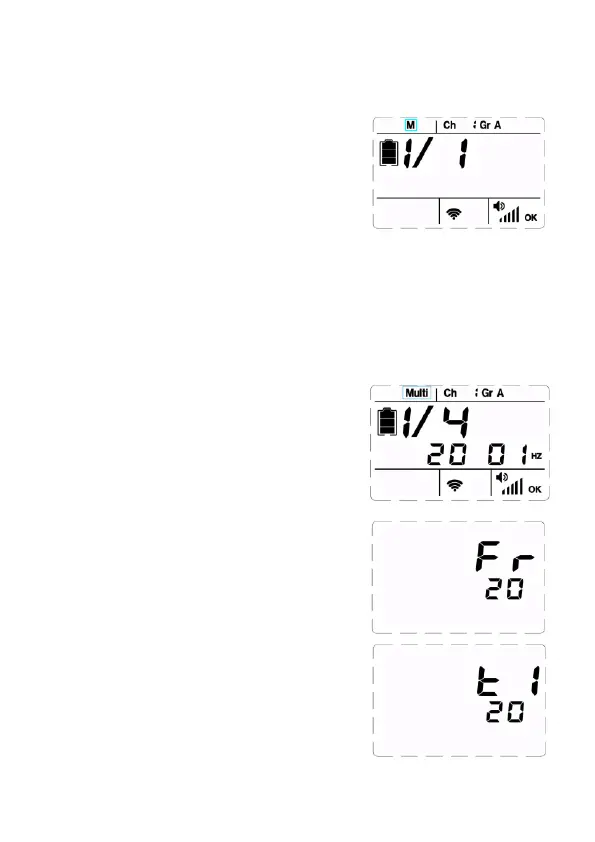
Flash Mode-M Manual Flash
When use flash in manual mode, flash output power is adjustable
from 1/1 to 1/256 with 1/3 f-stop increment.
4)Set Number of Flashes
Shortly press [Confirmation Button] twice,
the display shows <t1>. Rotate [Select Dial]
to set number of flashes 1-20.
2)Set flash output power
Rotate [Select Dial] to set flash output
power.
Flash Mode-Multi Stroboscopic Flash
According to one shutter signal, the flash will generate a series of
fast flashes, and multiply images will be integrated in one picture.
It is useful to capture trajectory of a moving object. You can set
flash output power, flash frequency and number of flashes. Maximum
number of flashes is 20 and maximum flash frequency is 30Hz.
1)Set Flash Mode <Multi>
Shortly press [MODE] button, the flash
will set as <Multi>.
2)Set Flash Output
Rotate [Select Dial] to set flash output
power.
3) Set Flash Frequency
Shortly press [Confirmation Button], the
display shows <Fr>. Rotate [Select Dial] to
set flash frequency 1-30.
1)Set flash mode <M>
Shortly press [MODE] button, flash mode
set as <M>.
10



 To Next Page