Function
Icon
Function
Setting
Code
Description
Restrictions
BEP
Beep
ON
OF
No
Enable
Disable
SLA
Optical
Mode
S1
S1 mode
M mode
S2
S2 mode
OF
Disable
SLP
Auto
Standby
60 minutes
20 minutes
Auto standby
without any
operation
Disable
No
Cor
Constant
Color
Temperature
Mode
ON
OF
OF
ON
OFF
M mode
Mask
n1
n2
OFF
OF
nn5
Trigger 2 times for
1 cycles, 1th flash
of trigger
Trigger 2 times for
1 cycles, 2nd flash
of trigger
ID
ID setting
01-30
Choose any figure
from 01-30
NO
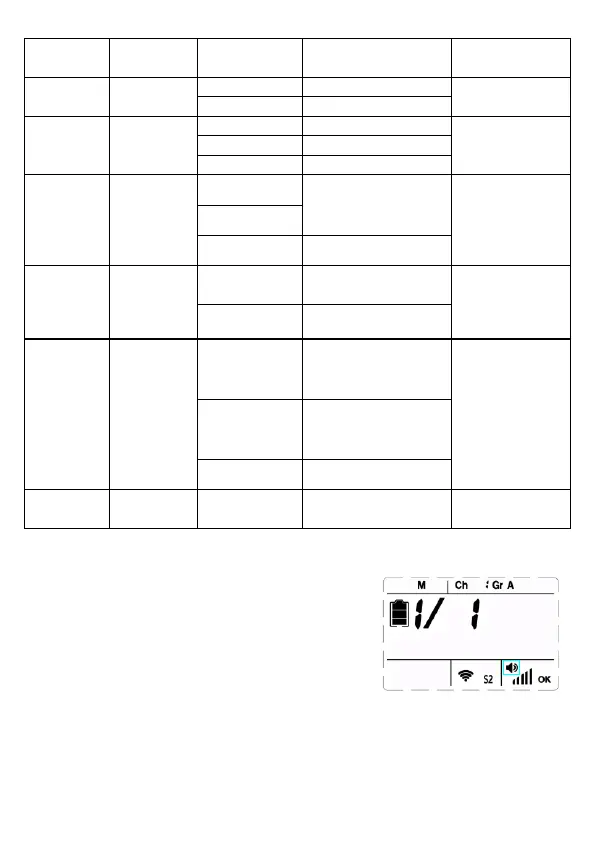
Audible Beep
The speaker symbol will display on screen
when turn on the beeper. When the beep is
active, it will sound once the flash is recycled
and ready to flash.
During recycling, the recycling state is
indicated by a series of shaded bars. When
the unit is completely recycled, the numbers
of shaded bars reach at maximum.
14
M mode



 To Next Page