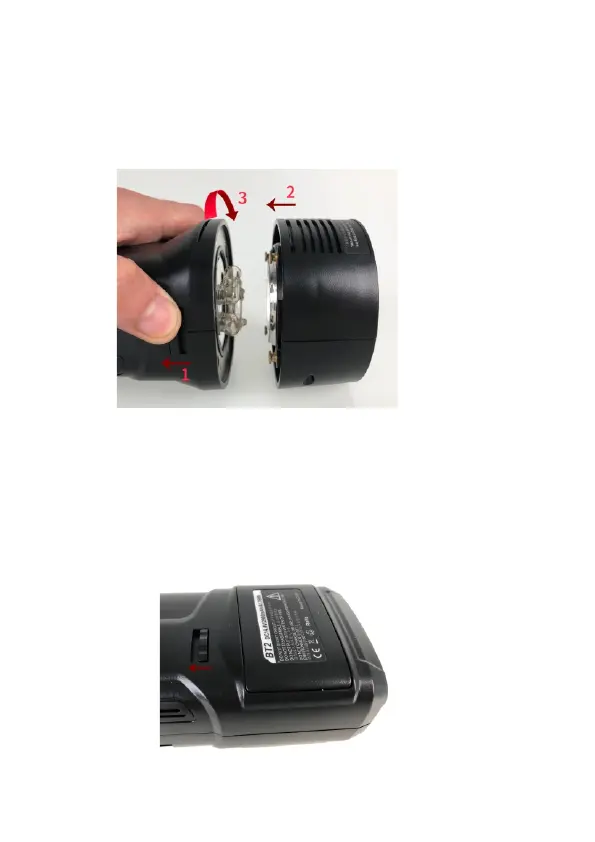
Mount Reflector
Push Releasing Button back towards the rear of the unit, Align the
four pegs on the reflector with the four slots on flash body. Pull
reflector in and rotate clockwise until it locks in place (Fig 2).
CAUTION: Always switch off the unit before mount and demounting
reflector.
Fig.2
Battery
Install Battery
Remove battery
Push [Battery Releasing Button] towards the head of the unit to
release the battery. (Fig.3).
Please turn off the unit before put on and remove battery.
Fig.3
7
Put battery in battery compartment until hear a clicking sound.



 To Next Page