19
System setup for Audio function
System setup for Audio function
1
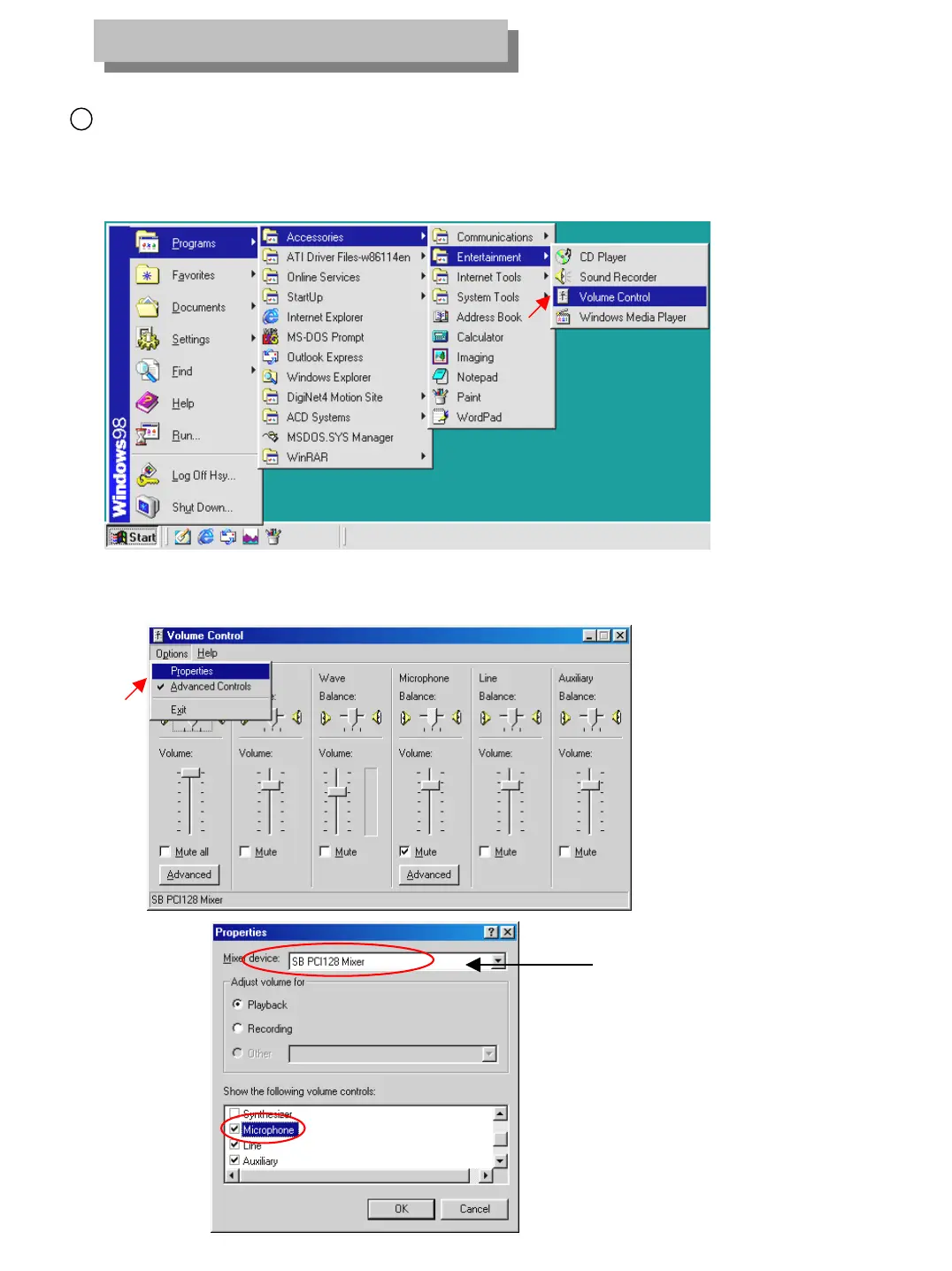
[Audio volume setup for voice recording]
• Prior to recording voice, you need to first control audio volume for microphone.
• Go to ‘Start Æ Program Æ Application Æ Entertainment Æ Volume Control’
• Go to ‘Options Æ Properties’ then, below window will appear.
• In order to use voice recording function
“Microphone” should be set from “Properties” tap.


 To Next Page