Network Video Decoder SVP-1000 Full Manual
15
Network Setting of User PC
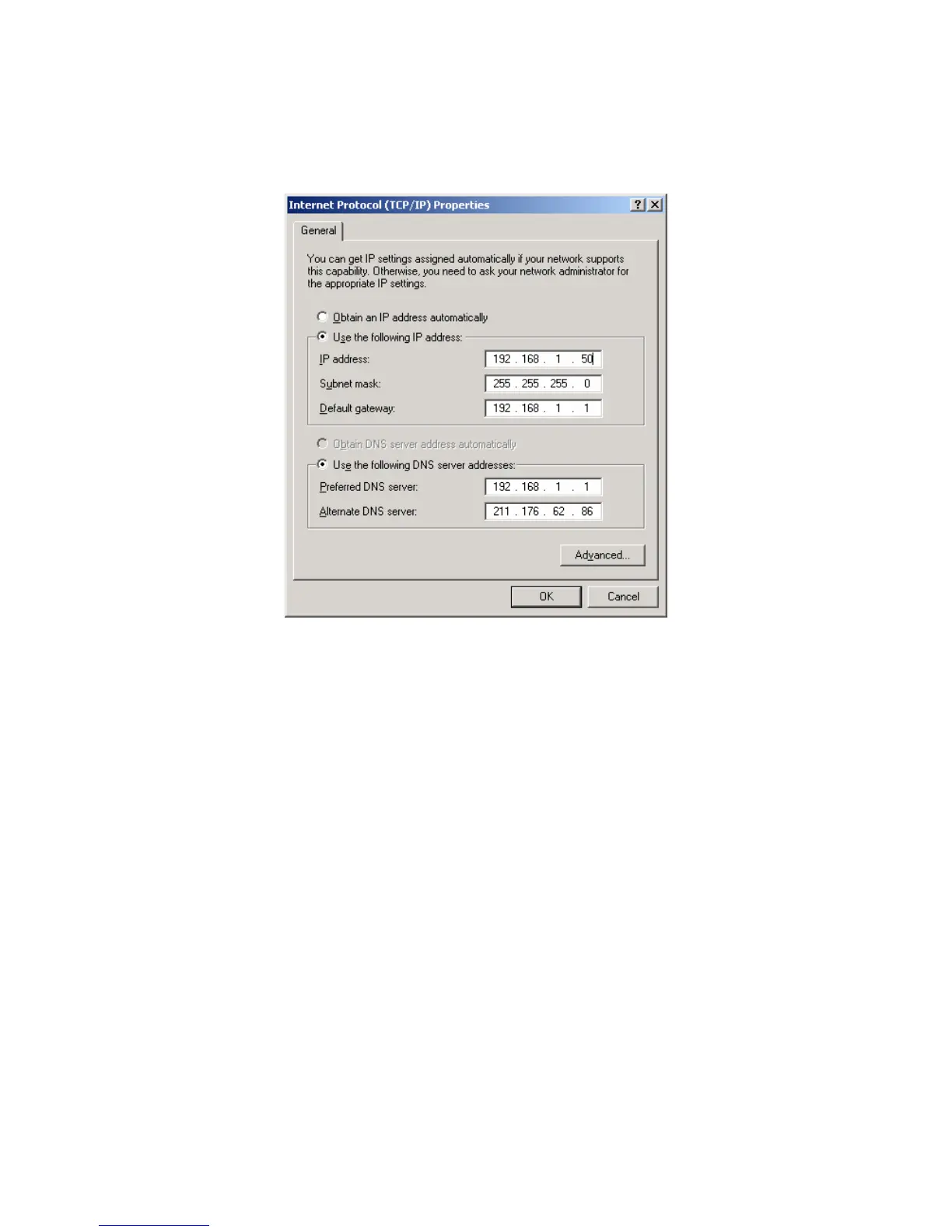
4) Setup IP Address, Subnet Mask and Gateway in the user PC with 192.168.1.50,
255.255.255.0 and 192.168.1.1 as it is shown in the picture above.
• Caution
- To activate SVP-1000, the user PC must have the same network setup status as it is preset in the
SVP-1000 decoder. But when you assign the IP address, please be careful not to use the default
IP written on the back side of the video server (192.168.1.10), since the same default IP address
is allotted to all products.
- Basic network setting values of SVP-1000 are:
▶ IP Address : 192.168.1.10
▶ Subnet Mask : 255.255.255.0
▶ Gateway : 192.168.1.1



 To Next Page