Network Video Decoder SVP-1000 Full Manual
26
5. Admin Setting Mode
5.1. General Setting
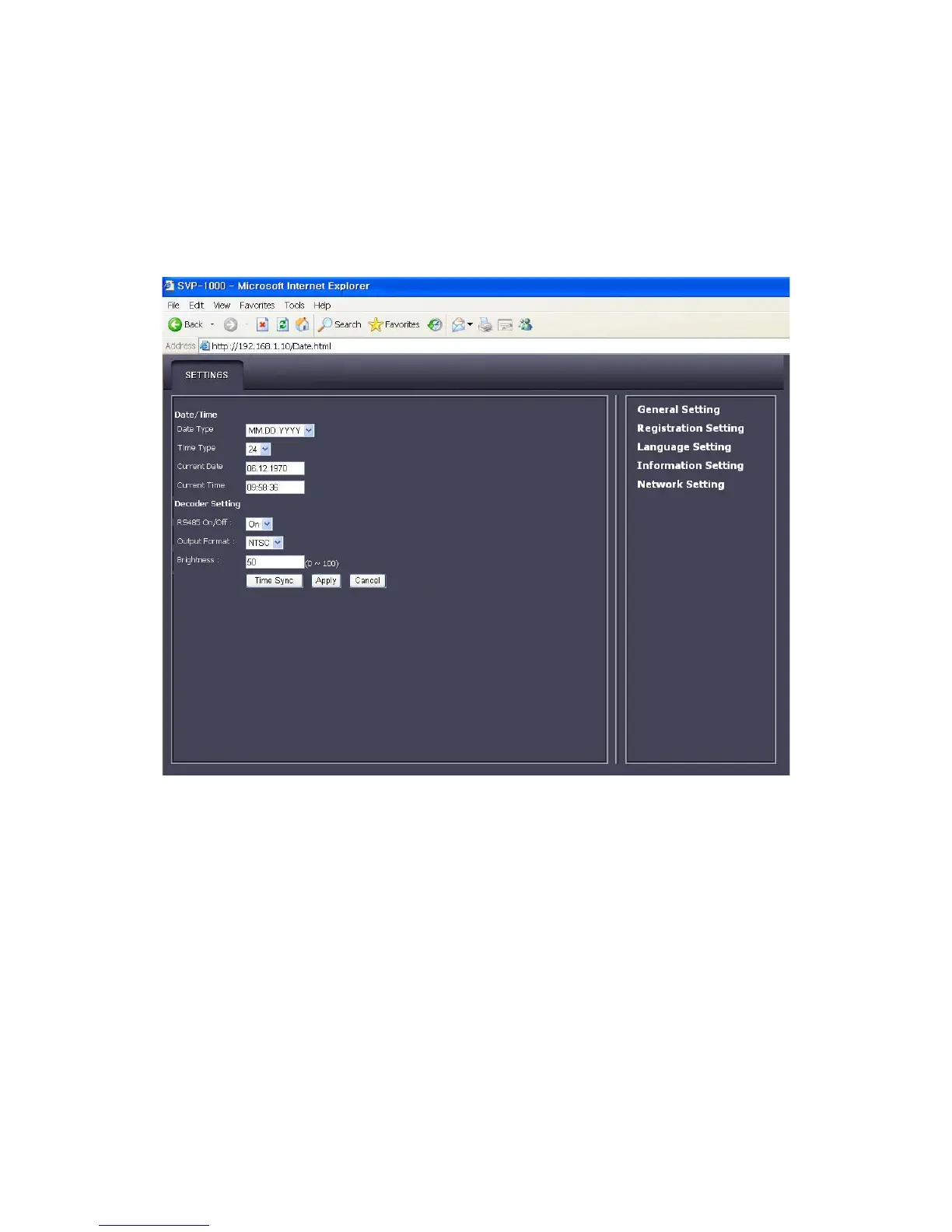
General setting
• Date/Time
▶Date Type: It shows the structure of date Indication.
▶Time Type: It shows the type of time indication
▶Current Date: It shows the date of operation
▶Current Time: It shows the time of operation
• Decoder Setting
▶RS485 on/off: The Use of RS485 is selective
▶Output format: The video format can be setup when a camera is compatible with PAL and NTSC.
(Usually, the format is selected automatically: PAL/NTSC, according to the type of camera,)



 To Next Page