Network Video Decoder SVP-1000 Full Manual
12
2. Basic Setup of SVP-1000
2.1. Installation
• If you use Network LAN Card in your PC, you can connect the decoder directly to a PC with a
Cross LAN Cable provided in the package.
• On the assumption that both the user PC and SVP-1000 are used under static IP, and SVP-1000
is directly connected with the user PC or Local Network, the installation procedure is to be:
ectly connected with the user PC or Local Network, the installation procedure is to be: directly connected with the user PC or Local Network,
the installation procedure is to be:
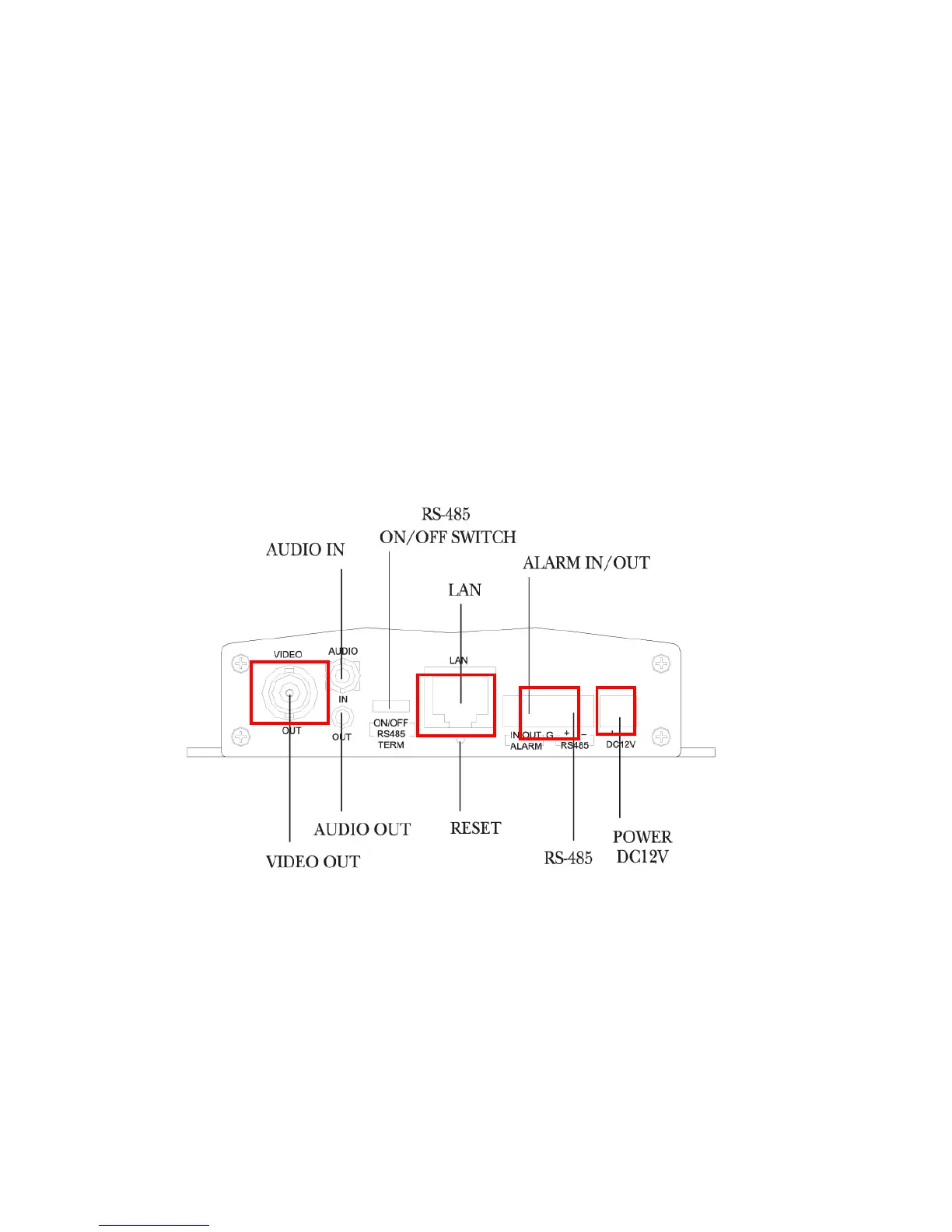
1) Connect TV Monitor and SVP-1000 with a Video Cable. (①)
2) In case of using the controller (ex. Joystick), connect it with RS-485 Port (②).
3) Connect SVP-1000 to a PC with a Cross LAN Cable (③)



 To Next Page