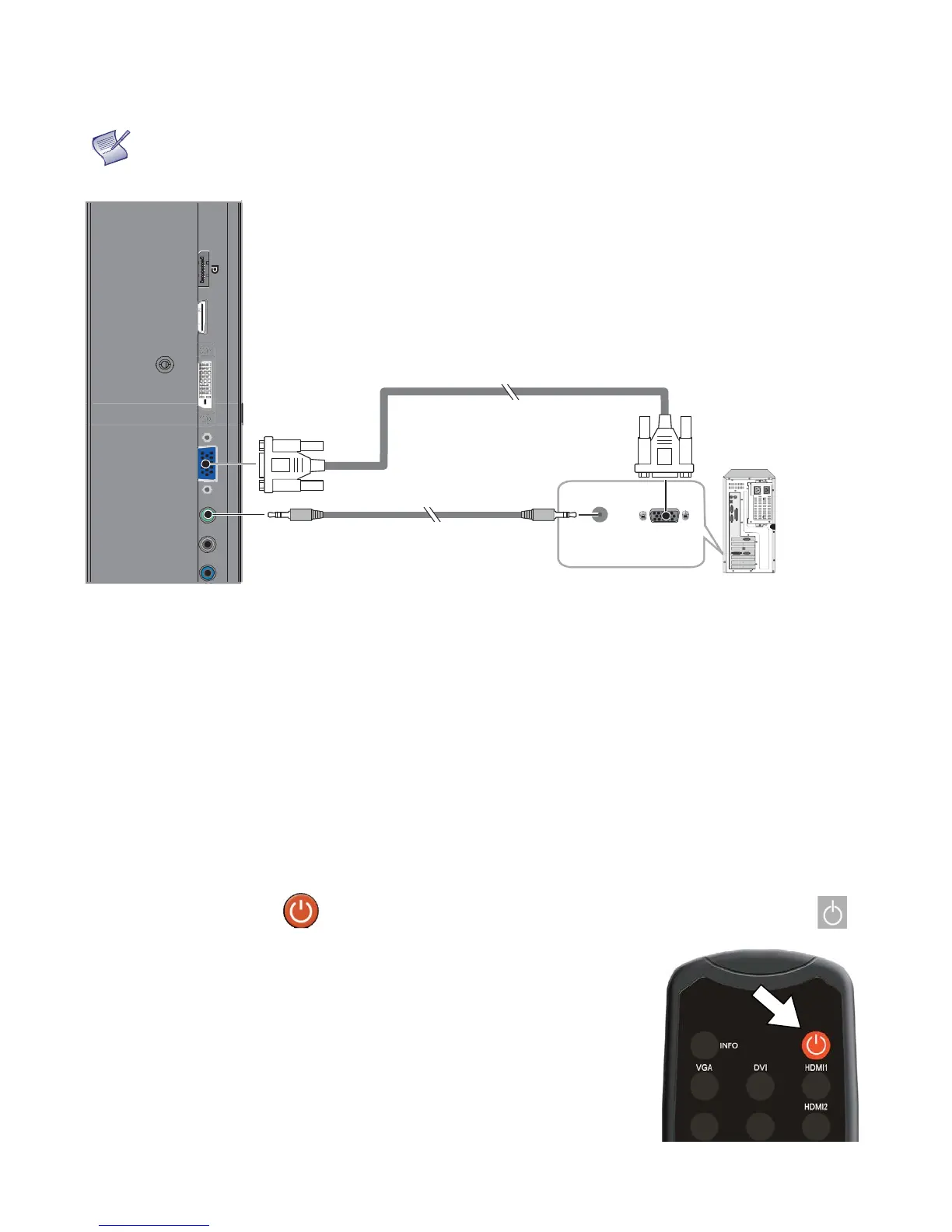
VGA Source Connection:
Connect a personal computer or other RGB source to the VGA input
as shown in Figure 3-8.
NOTE
Refer to Supported Timings on page 51 for a list of compatible input signals.
Figure 3-8. VGA Source Connections
Turning on the Power
1. Turn on your source components.
2. Plug the female end of the supplied power cord into the AC receptacle on the side of the display (AC 100V ~ 240V).
See Figure 2-2.
3. Connect the other end to your AC power source.
4. Turn on the main power switch at the side of the display (see Figure 2-1). The power indicator lights orange to
indicate that the display is in “standby” mode.
5. Press the power button ( ) on the remote control to turn on the display or press the power button ( ) on
the keypad.
6. After a brief warm-up period, the display will display an image.
Audio Cable
(Sold Separately)



 To Next Page