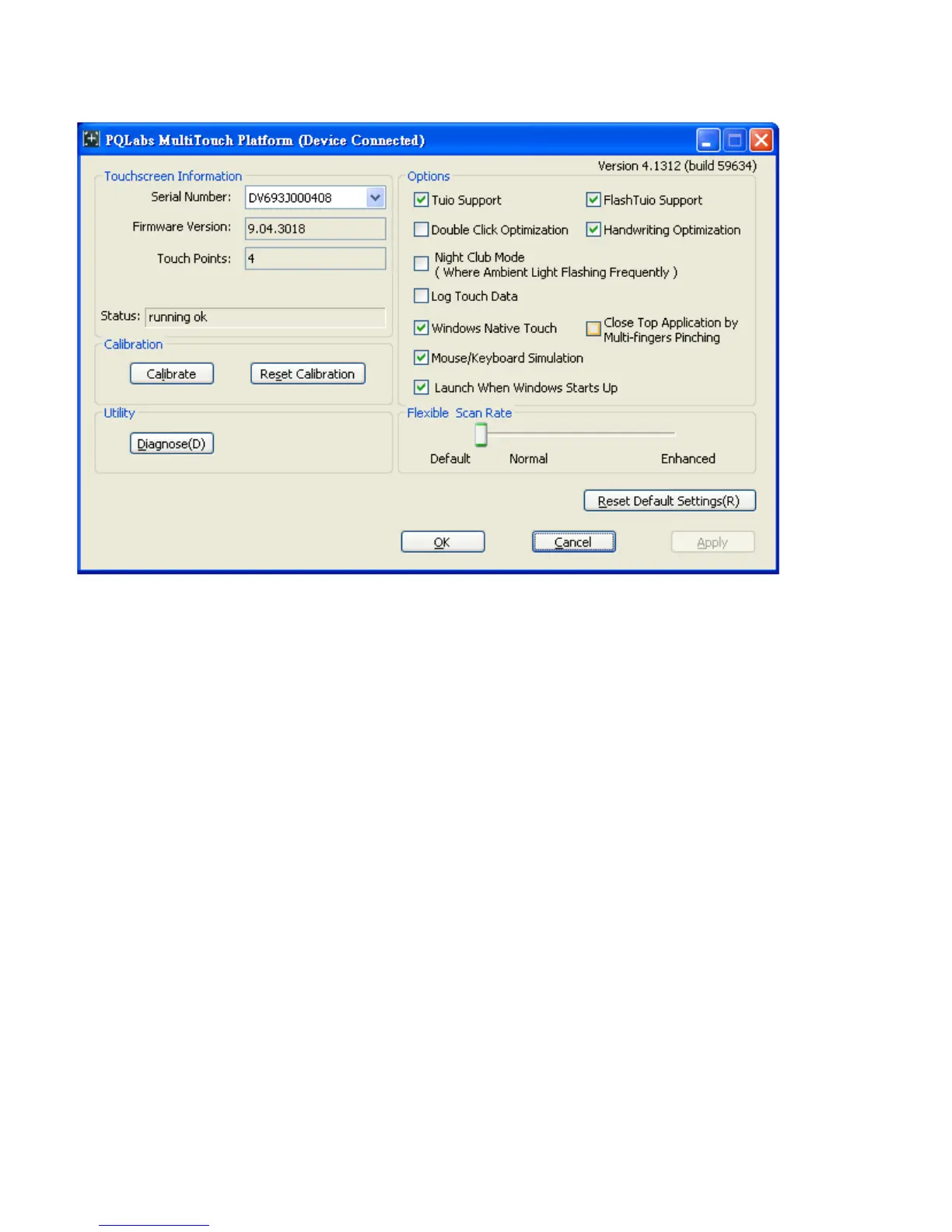
Touch Screen Configuration Instructions
Touchscreen Information:
This area of the mt_touch_driver configuration window contains a variety of information about
the touch module, the product type, firmware version and operating status.
•
Serial Number:
Unique ID of a touchscreen.
•
Firmware Version:
Internal firmware version of a touchscreen.
•
Touch Points:
Maximum touch points that a physical touch screen supports.
•
Status:
Show current status of a touch screen.
It may be:
a.
Working normal
b.
Open bulk device failed
c.
Open virtual digitizer failed
d.
Open physic digitizer failed
Calibration:
If touching the screen does not place the cursor in the desired position, you may be able to correct this by
performing a touch screen engine calibration. To do this:
• Click Calibration. A white cross at a black background appears on the screen.
• Click the white cross by hand more than 1 second and follow the cross moving to finish the four-point touch
calibration.



 To Next Page