2. Controls and Functions
Display at a Glance
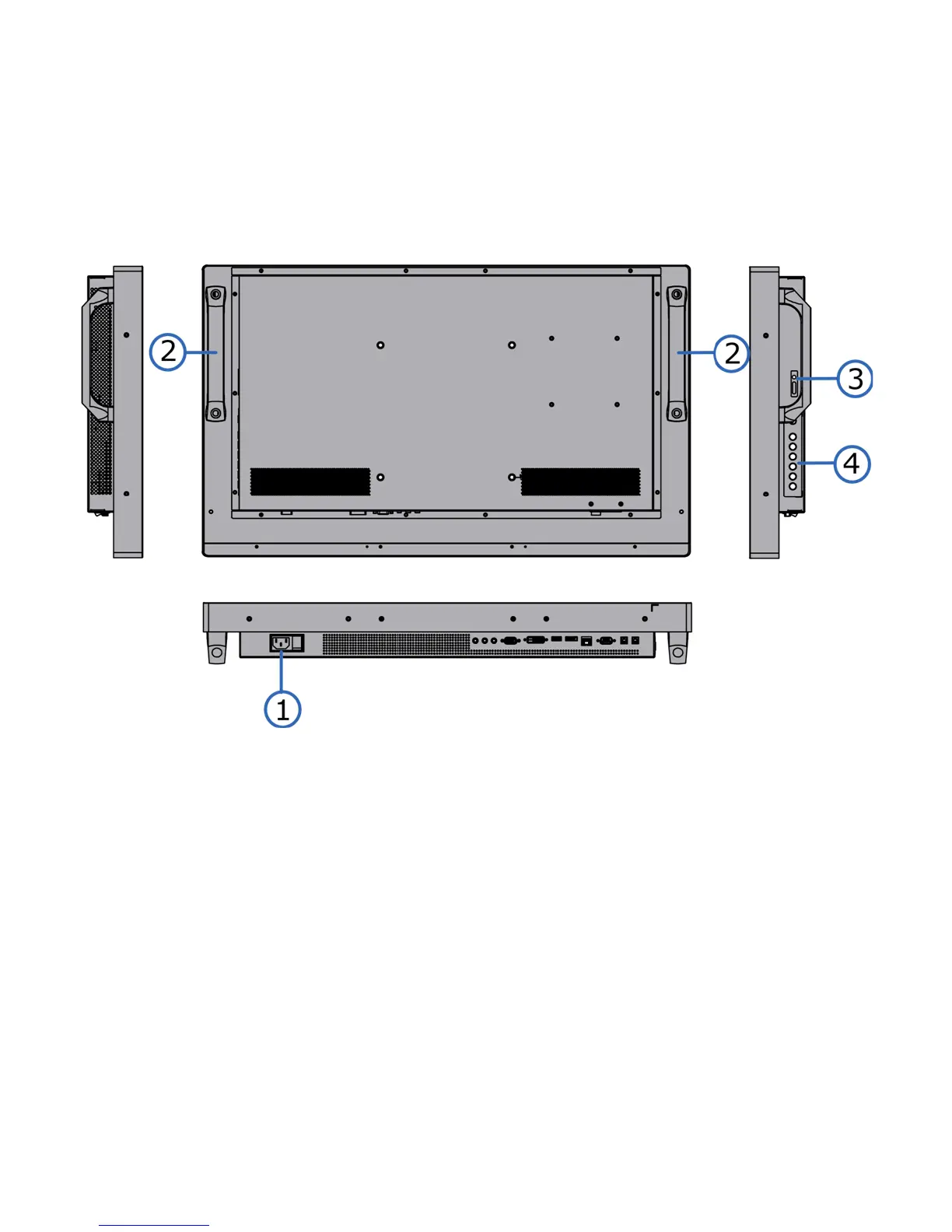
Figure 2-1 shows the key display components, and the paragraphs that follow describe them.
Figure 2-1. Display Rear/ Side View
1. MAIN POWER SWITCH
Connects or disconnects the display panel from the AC power source.
2. HANDLE
Always use the handles when carrying the display. DO NOT touch or hold the screen face.
3. Status LED
Solid orange: display in standby mode
Blinking orange: display on, no input detected
Off: main power switch off
Solid green: display on, input detected



 To Next Page