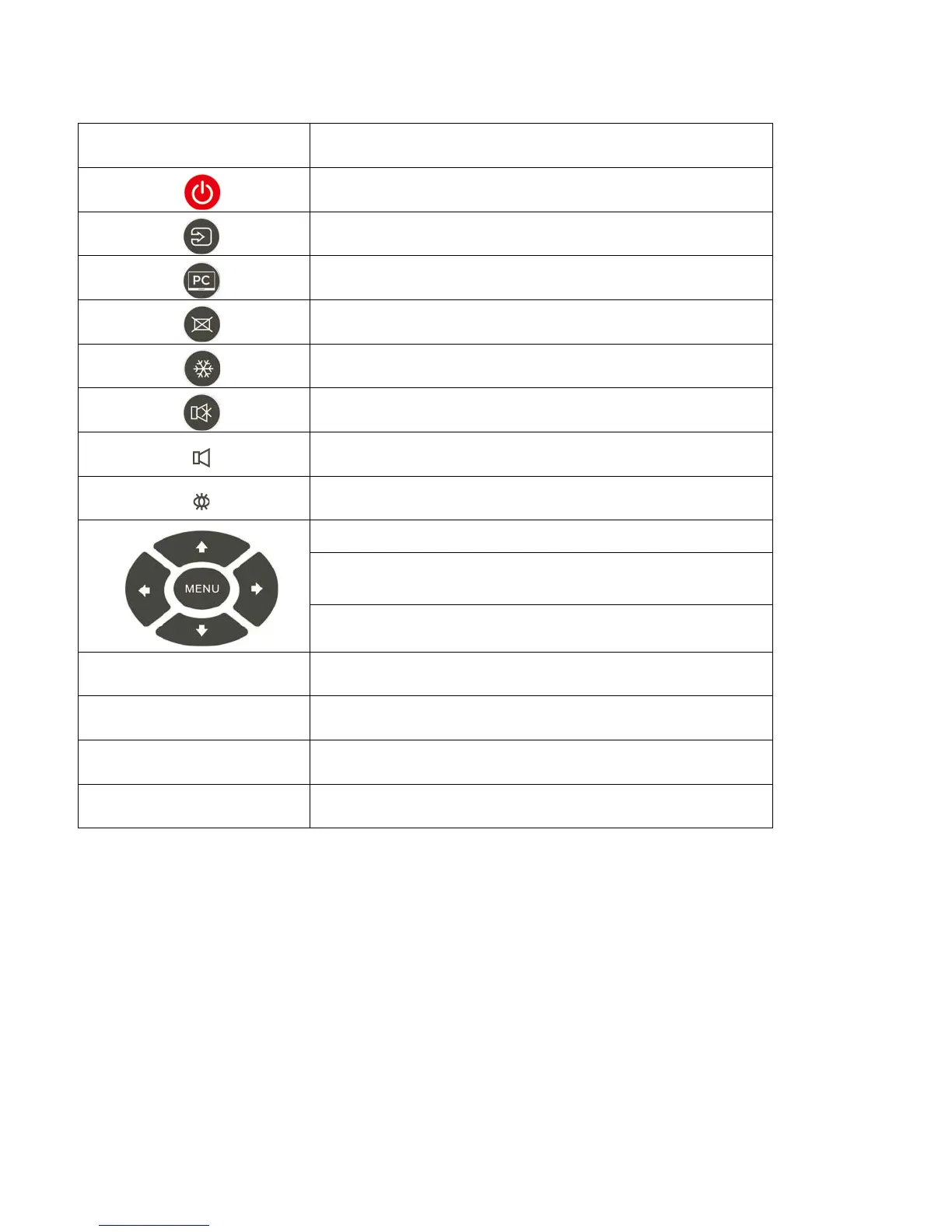
Table 2-1. Remote Control Button Descriptions
Label Description
Turns the monitor on and off.
Selects a media source.
Select the WIN 10 PC source.
Blanks the screen. Press any key to restore.
Freezes the screen. Press again to restore.
Turns off the sound.
Increases or decreases the volume by pressing the + and - keys.
Selects standard settings.
Opens the monitor’s on-screen menu system.
When the menu system is already open, pressing this butt on will
select the previous submenu.
Navigates through submenus and settings.
ENTER Selects highlighted menu choices
EXIT Closes the menu system
AUTO Auto adjustment of VGA source
SCALING
Selects each aspect ratio, in sequence: Full Screen,
Native, Letter Box and Pillar Box



 To Next Page