Appendix II: Installing a Wall Mount
Follow the manual instructions for the type of mount you have selected. Refer all servicing to qualified service
personnel.
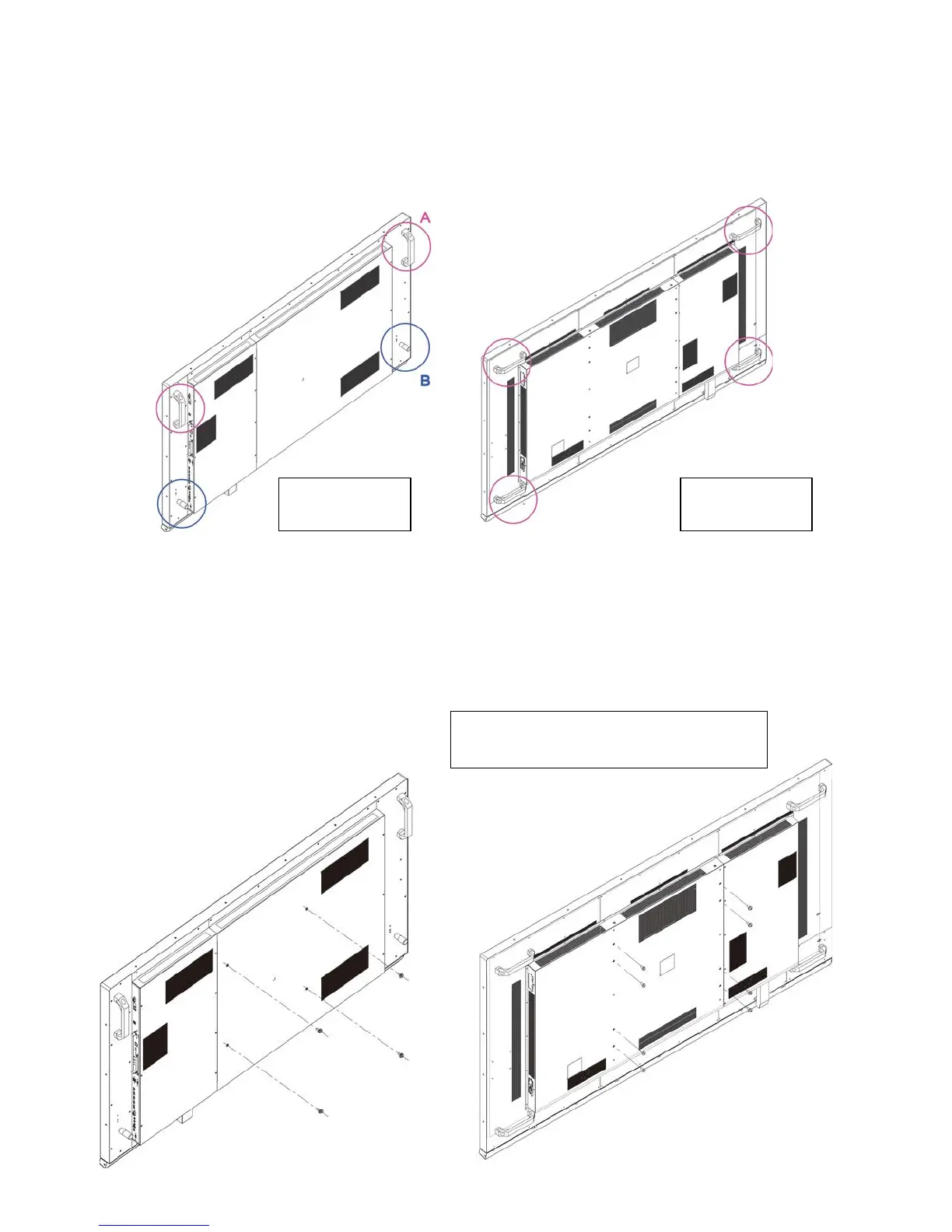
Moving the display requires at least two people. Make sure you use the handles (A) and handlebars (B) in the back of
the display while lifting or moving the display, to avoid touching the front panel during the move.
Before installing, please make sure the wall is strong enough to hold the necessary weight of the display and the mount.
Step1
. Keep the display facing the ground and place it on a flat object.
Step2
. Remove the screws (M8*15) from the back of the display.
Step3
. Align the wall brackets with the mounting holes and attach the brackets to the display using the screws removed
in Step 2.
Caution:
Longer screws will damage the display.
Use maximum 15mm/0.59” long screws.
8mm Metric
VTF-6510 VTF-8410



 To Next Page