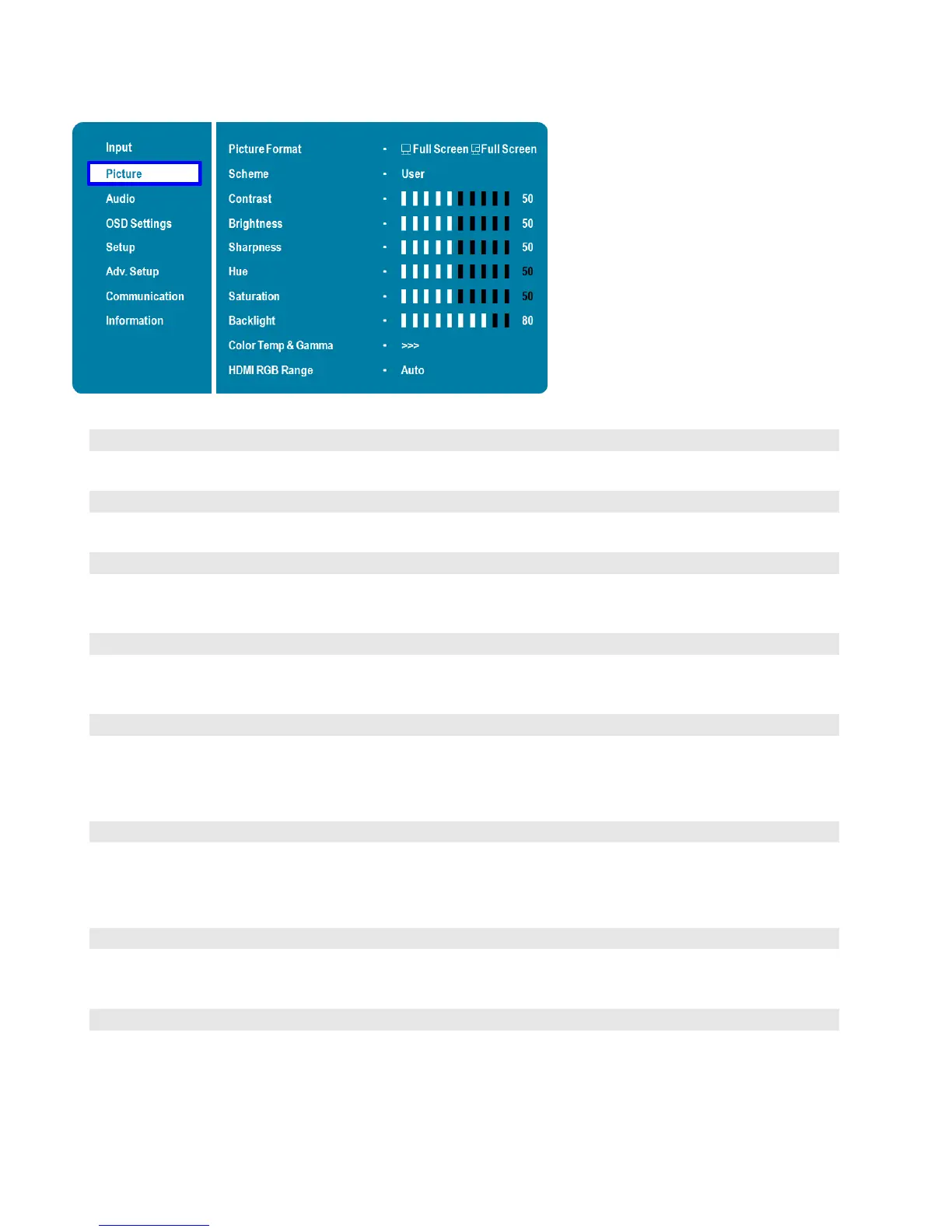
Picture Menu
This menu is used for making common image adjustments.
Adjust the picture format of the screen
Options: Full Screen, Letterbox, 4:3, 1:1; Default: Full Screen
Press or to select one of the following:
Options: User, Vivid, Cinema, Game, Sport; Default: User
Increase or decrease the contrast of picture.
Press or to select the desired level, and then press ENTER.
Range: 0~100; Default: 50
Increase or decrease the brightness of picture.
Press or to select the desired level, and then press ENTER.
Range: 0~100; Default: 50
Increase or decrease the green hue.
Press or to select the desired level, and then press ENTER.
Range: 0~100; Default: 50
Note: This function is not available when displaying PC or graphics sources
Adjust the brilliance and brightness.
Press or to select the desired level, and then press ENTER.
Range: 0~100; Default: 50
Note: This function is not available when displaying PC or graphics sources
Increase or decrease the intensity of the LCD backlight.
Press or to select the desired level, and then press ENTER.
Range: 0~100; Default: 80
Select gamma curve
Options: Off, 2.2; Default: 2.2



 To Next Page