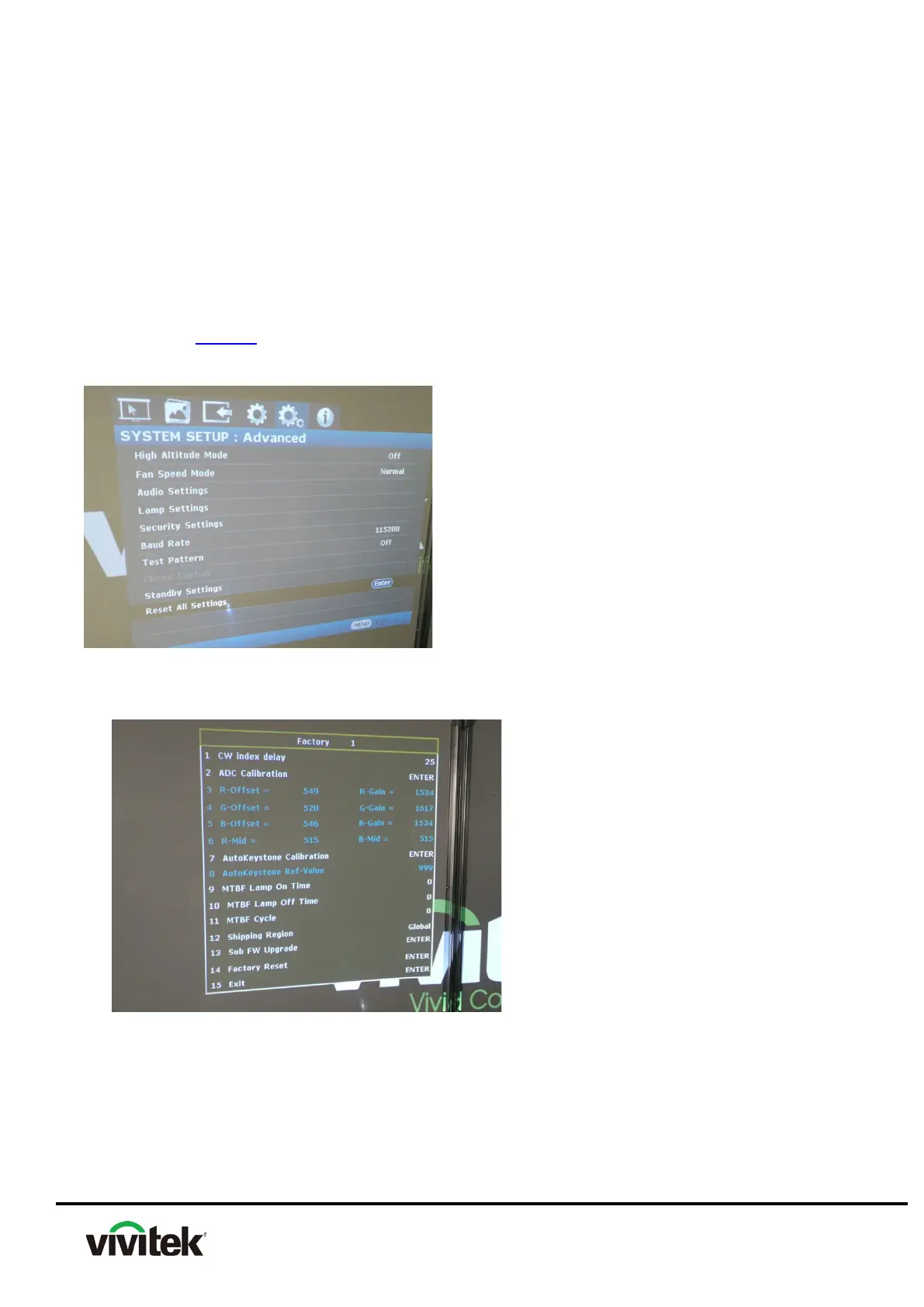
4.7 How to enter factory mode
【Warning】
Please don’t set any sub-menu of factory menu that doesn’t refer to in this Service
Manual. It may cause damage to the projector.
(1) Press “Menu” button to open the Main menu.
(2) Move the highlight bar to “SYSTEM SETUP: Advanced” item.
(3) Press the DOWN into the selected sub-Menu.
(4) Move down the highlight bar to “Reset All Settings” item.
(5) Press below keys in order will into the Engineering Menu:
Right once Left twice Right three times Left four times



 To Next Page