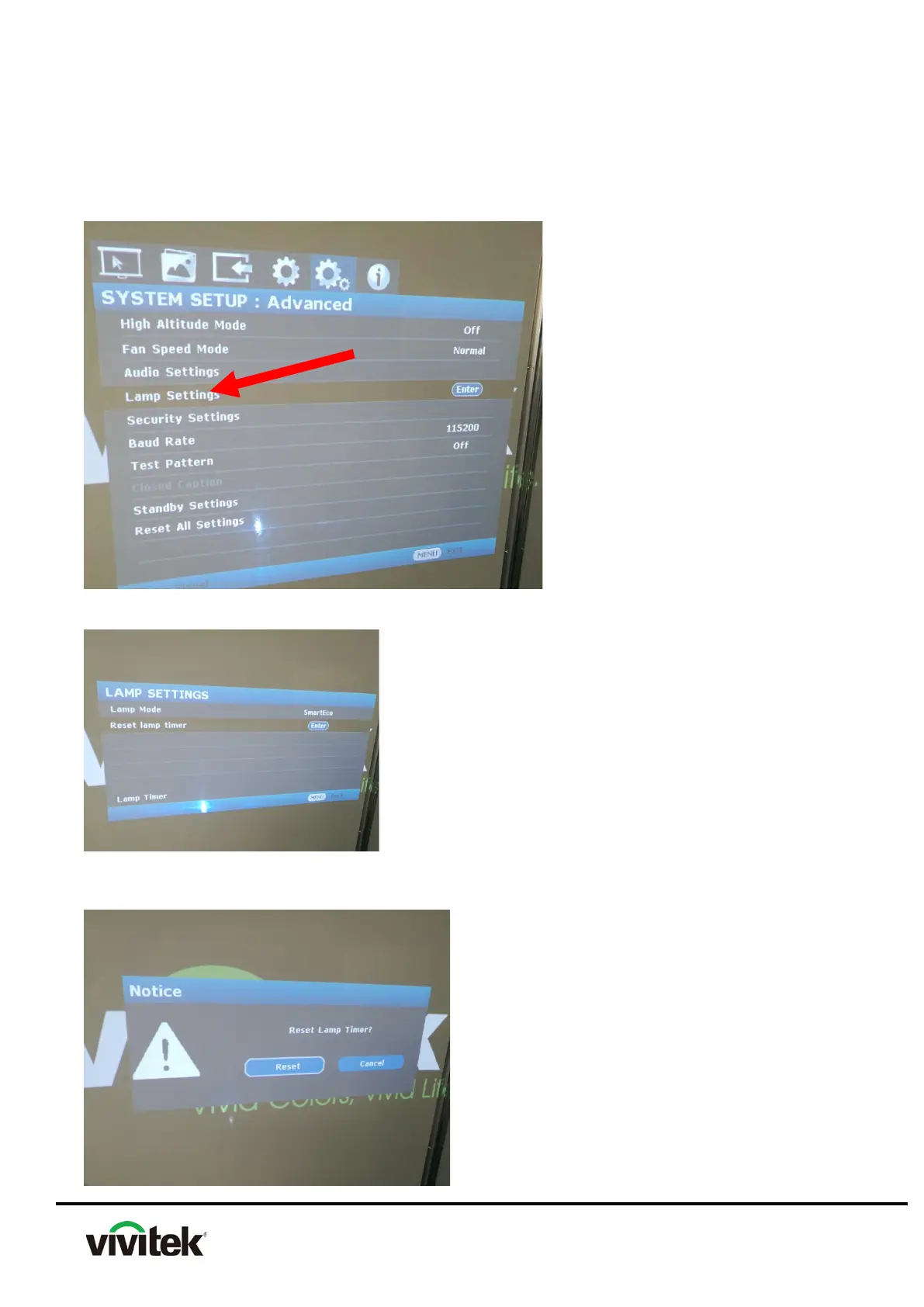
4.10 How to reset lamp hours
(1) ,Press “MEUN”,Move to “SYSTEM SETUP:Advanced”
(2) Move the highlight bar to “Lamp Setting”, Press Enter into the selected sub-Menu.
(3) Move down the highlight bar to “Reset lamp timer” item and press Enter..
(4) A warning message displays asking if you want to reset the lamp timer. Highlight “Reset”
and press Enter. The lamp time will be reset to “0”



 To Next Page