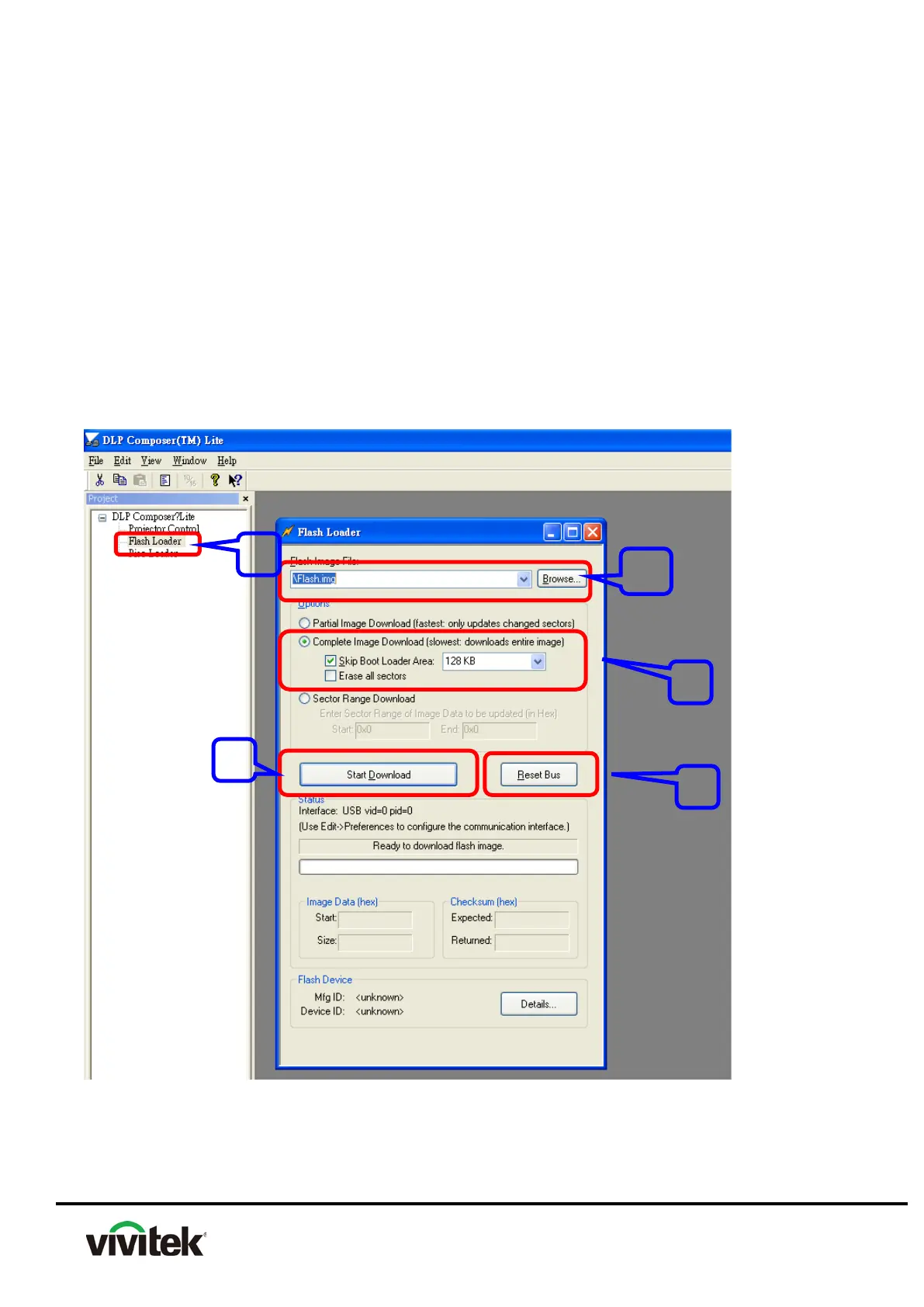
8-3 Select Complete Image Download, Click “Skip Boot Loader Area” select 128KB
8-4 Connect PC USB port to projector USB port
8-5 Press “POWER” button constantly then plug the Power Cord after around 5
seconds, the power LED will become red light and TEMP/LAMP LED red/flash light,
that indicates the unit is in the download mode, at this moment, you can release
Power button.
8-6 Click Reset Bus firstly to check if USB connects well
8-7 Press “Start Download” to begin upgraded.
9. When the update is complete, click Yes.
10. Disconnect the USB cable.
11. Disconnect the projector’s AC power cable, then reconnect it



 To Next Page