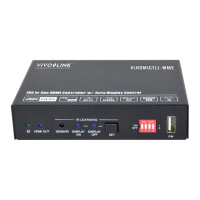
18G In-line HDMI Controller with Auto Display Control
7
Note:
2CH: Supports LPCM 2CH.
Multi-CH: Supports LPCM 8CH, Dolby TrueHD, DTS-HD , Dolby Digital5.1, DTS
5.1, Dolby Digital Plus.
User-defined EDID Setting
Except directly invoking the built-in EDID, the specific EDID can be customized by
following the below operation process.
1) Rename the user-defined EDID as EC_11.bin.
2) Connect the FW port of the controller to the PC with USB cable, and then power
on the controller, the PC will automatically detect a virtual disk named of
“BOOTDISK”.
3) Double-click to open the disk, a file named of “READY.TXT” will be showed.
4) Copy the user-defined EDID to the “BOOTDISK” disk.
5) Reopen the disk to check the filename “READY.TXT” whether automatically
becomes “SUCCESS.TXT”, if yes, the user-defined EDID was imported into the
controller and saved as its corresponding EDID ID successfully.
6) Remove the USB cable, and then reboot the controller.
7) Now the new EDID can be invoked by setting the DIP switch status to “111”.


 To Next Page
 Loading...