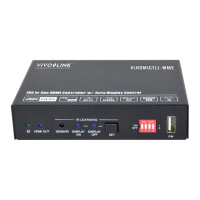
18G In-line HDMI Controller with Auto Display Control
11
Please set the parameters of COM number, bound rate, data bit, stop bit and the parity
bit correctly, then the RS232 commands can be sent in Command Sending Area.
Baud rate: 9600;
Data bit: 8;
Stop bit: 1;
Parity bit: none.
6.1.2 Trigger Method Setting
Set the trigger method to perform
SYSTEM ON.
Detects HDMI video signal
(default 5V, or TMDS)
Detects IR or video signal
SET DETECT VIDEO TRIGGER!
Set the trigger method to perform
SYSTEM OFF.
Detects no HDMI video
signal (default 5V, or TMDS)
Detects no IR and video
signal
SET NOT DETECT VIDEO
TRIGGER!
Set the system off time to xxxxx (default
10mins, range of 5mins to 180mins).
When no HDMI video signal has been
detected, the system will off after the
setting time.
SET DETECT NOSIGNAL DELAY
TIME 300S!
Set the system off time to xxxxx (default
10mins, range of 5mins to 180mins).
When no IR signal has been detected,
SET DETECT NO IR DELAY TIME


 To Next Page
 Loading...