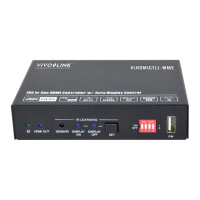
18G In-line HDMI Controller with Auto Display Control
6
5. DIP Switch Operation
5.1 EDID Management
The Extended Display Identification Data (EDID) is used by the source device to
match its video resolution with the connected display. By default, the source device
obtains its EDID from the first connected display. Meanwhile, since the display with
different capabilities is connected to the controller, the DIP switch on the front panel
can be used to set the EDID to a fixed value to ensure the compatibility in video
resolution.
The switch represents “0” when in the lower (OFF) position, and it represents “1” while
putting the switch in the upper (ON) position.
Switch 1~3 are used for EDID setting. The DIP switch status and its corresponding
setting are shown at the back of the product.


 To Next Page
 Loading...