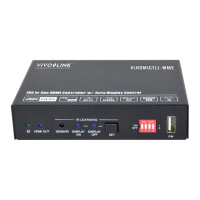
18G In-line HDMI Controller with Auto Display Control
9
6. System Control Setting
SYSTEM ON
When the controller detects video signal (TMDS, 5V) or IR signal, the system will start
and automatically perform the below actions at the same time.
Send CEC ON to turn on display.
Send RS232 ON + Delay Time (default 3s, range of 1~180s) + User-defined
RS232 command to display.
Send IR ON + Delay Time (default 3s, range of 1~180s) + User-defined IR
command to display.
Toggle the state of relay 1 as follow.
SYSTEM OFF
When the controller detects all input source devices are removed, or not receives IR
signal within the delay time (default 10mins, range of 5mins-180mins), the system will
off and automatically perform the below actions at the same time.
Send CEC OFF to turn off display.
Send RS232 OFF to display. The number of sending command is default 1 time, it
can be set to 2 times by RS232 command.
Send IR OFF to display. The number of sending command is default 1 time, it can
be set to 2 times by RS232 command.
Toggle the state of relay 2.


 To Next Page
 Loading...