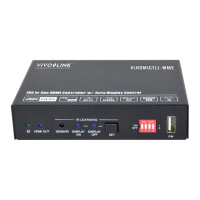
18G In-line HDMI Controller with Auto Display Control
13
Send the ASCII command
“123abc” to the third-party whose
baud rate is 9600.
When detects triggering signal,
automatically send HEX command XXX
to the third-party device (e.g. Projector)
whose baud rate is X.
Send the HEX command “30 31
32” to the third-party whose baud
rate is 9600.
When does not detect any triggering
signal, automatically send ASCII
command XXX to the third-party device
(e.g. Projector) whose baud rate is X.
Send the ASCII command
“123abc” to the third-party whose
baud rate is 9600.
When does not detect any triggering
signal, automatically send HEX command
XXX to the third-party device (e.g.
Projector) whose baud rate is X.
Send the HEX command “30 31
32” to the third-party whose baud
rate is 9600.
Set the user-defined ASCII command to
send to the third-party device (e.g.
Projector) whose baud rate is X.
Send the user-defined command
“123abc” to the third-party whose
baud rate is 9600.
Set the user-defined HEX command to
send to the third-party device (e.g.
Projector) whose baud rate is X.
Send the user-defined command
“30 31 32” to the third-party whose
baud rate is 9600.
Set the sending interval time between
RS232 ON and RS232 USER to XXX
(default 3s, range of 1S to 180s).
SET DELAY TIME BETWEEN
RS232 ON AND RS232 USER 3S!
Set the sending number of RS232 OFF to
X.
SET SEND RS232 OFF TWO
TIME!
Set the two times sending interval time of


 To Next Page
 Loading...