VIVOTEK - A Leading Provider of Multimedia Communication Solutions
User's Manual - 13
Accessing the Network Camera
This chapter explains how to access the Network Camera through web browsers, RTSP players,
3GPP-compatible mobile devices, and VIVOTEK recording software.
Using web browsers
Make use of Installation Wizard 2 (IW2) to access to the Network Cameras in LAN.
If your network environment is not in LAN, follow the steps to access the Netwotk Camera:
1. Launch your web browser (ex. Microsoft
®
Internet Explorer, Mozilla Firefox or Netscape).
2. Enter the IP address of the Network Camera in the address field. Press Enter.
3. The live video will be displayed in your web browser.
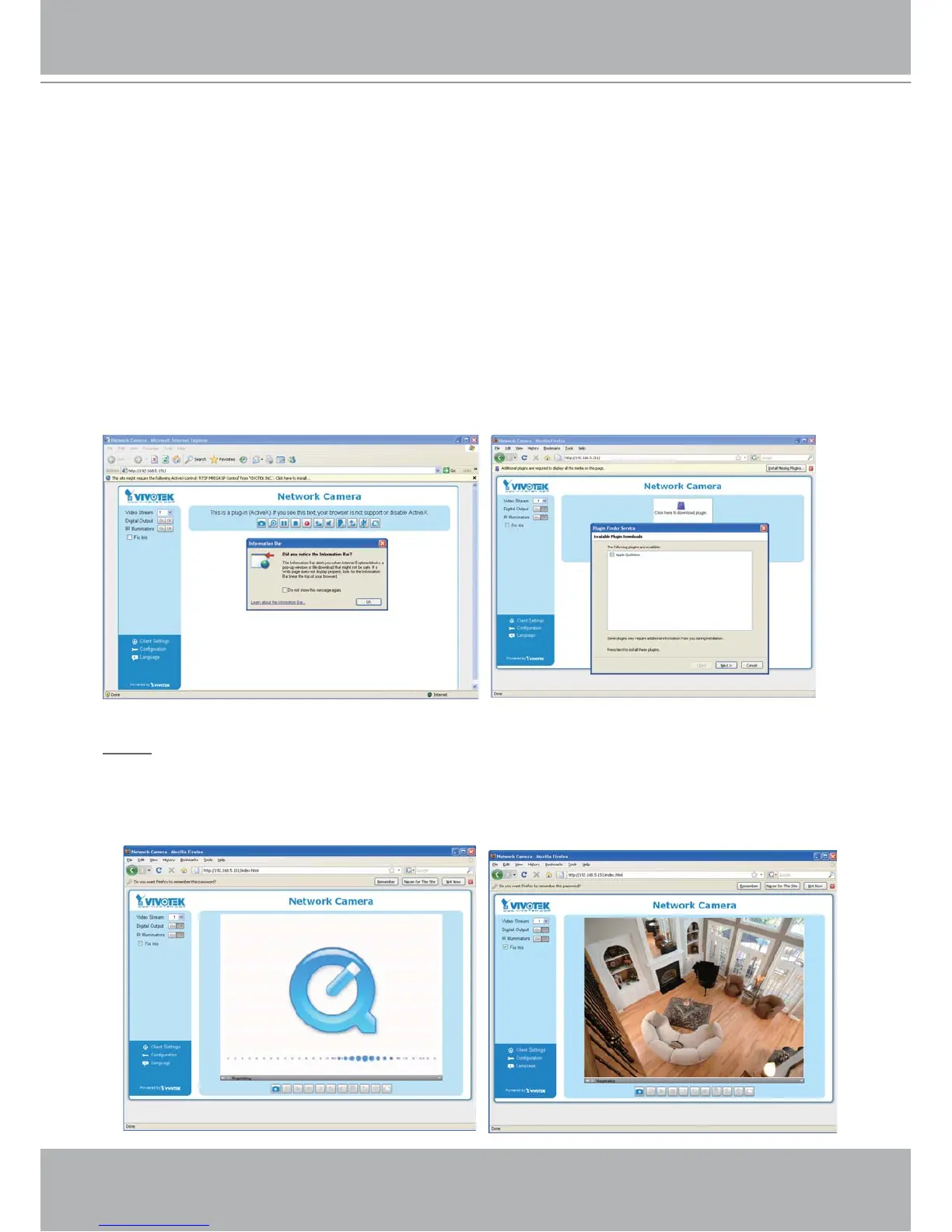
4. If it is the first time for you to install VIVOTEK’s network camera, some information bar will
pop up as below. Follow the instruction to install required plug-in on your computer.
NOTE
► For Mozilla Firefox or Netscape users, your browser will use Quick Time to stream the live
video. If you donn’t have Quick Time on your computer, please download it first, and then
launch the web browser.



 To Next Page