VIVOTEK - A Leading Provider of Multimedia Communication Solutions
User's Manual - 35
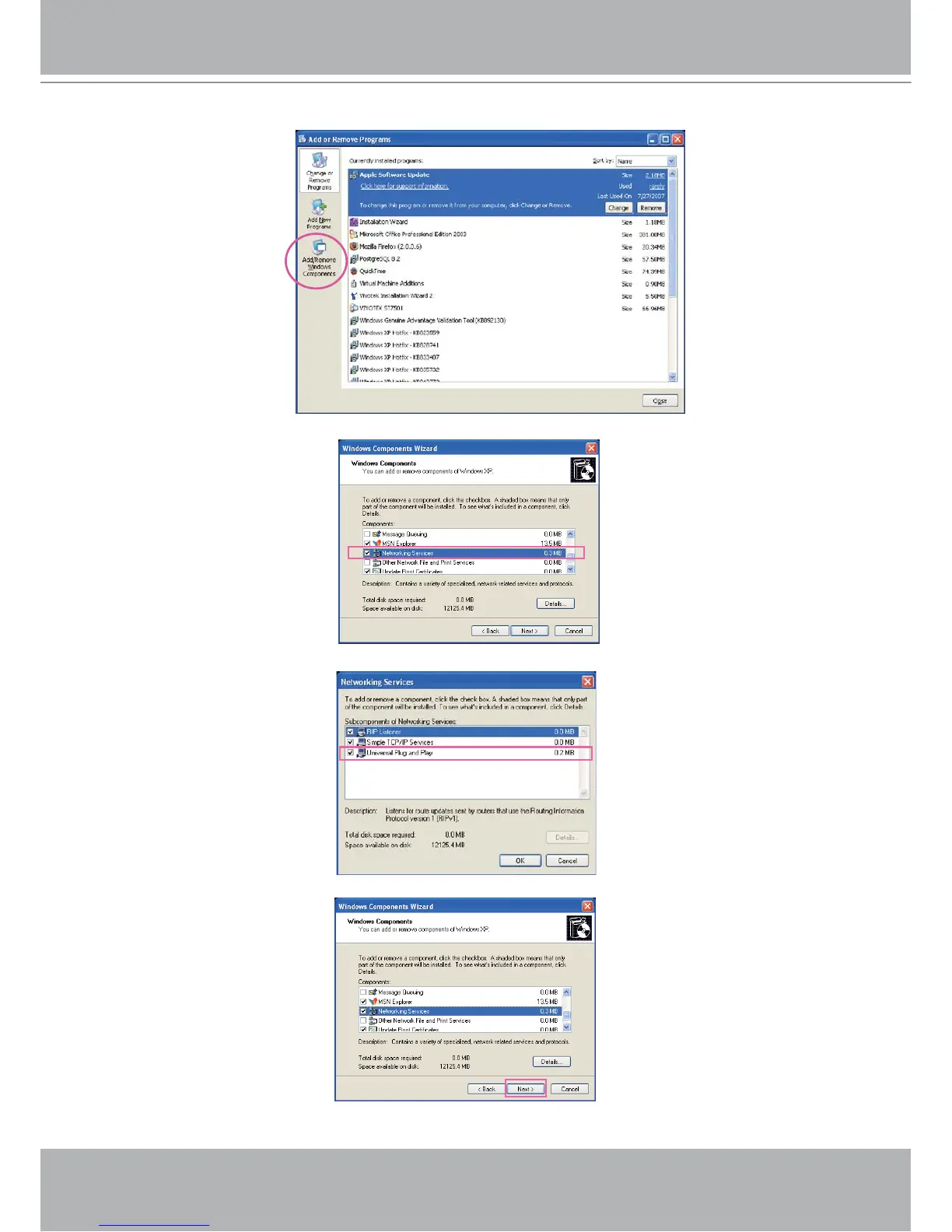
2. In the Add or Remove Programs dialog box, click Add/Remove Windows Components.
3.
In the Windows Components Wizard dialog box, select Networking Services and then click Details.
4. In the Networking Services dialog box, select Universal Plug and Play and then click OK.
5. Click Next in the following window.
6. Click Finish. UPnP
TM
is enabled.



 To Next Page