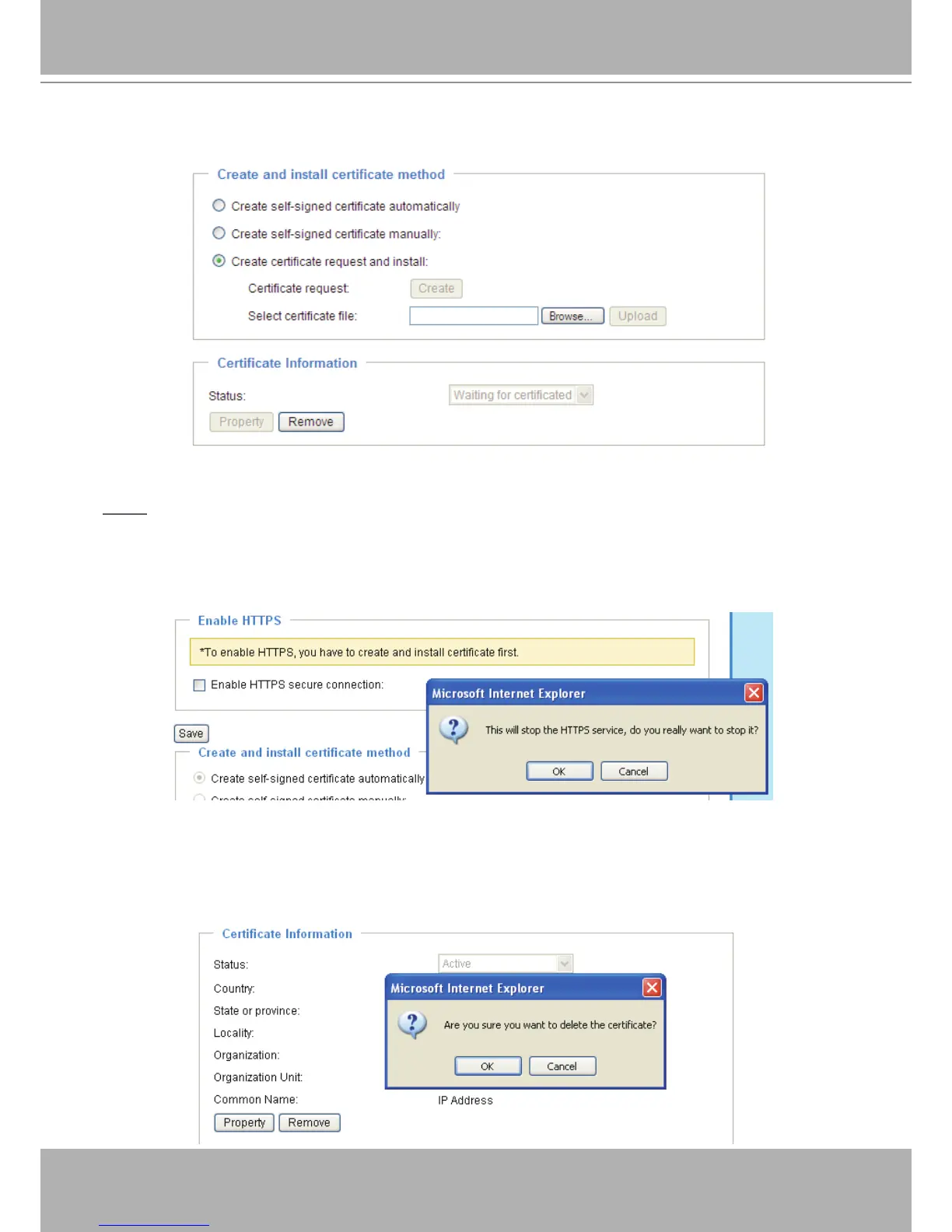
5� Look for a trusted certificate authority that issues digital certificates� Enroll the Network Camera�
Wait for the certificate authority to issue a SSL certificate; click Browse... to search for the issued
certicate, then click Upload in the second column.
NOTE
► How do I cancel the HTTPS settings?
1� Uncheck Enable HTTPS secure connection in the rst column and click Save; a warning dialog
will pop up�
2� Click OK to disable HTTPS�
3� The webpage will redirect to a non-HTTPS page automatically�
► If you want to create and install other certificates, please remove the existing one. To remove the
signed certificate, uncheck Enable HTTPS secure connection in the first column and click Save�
Then click Remove to erase the certicate.



 To Next Page