Recording
Advanced Mode
This section explains how to congure the recording settings for the Network Camera.
Recording Settings
NOTE
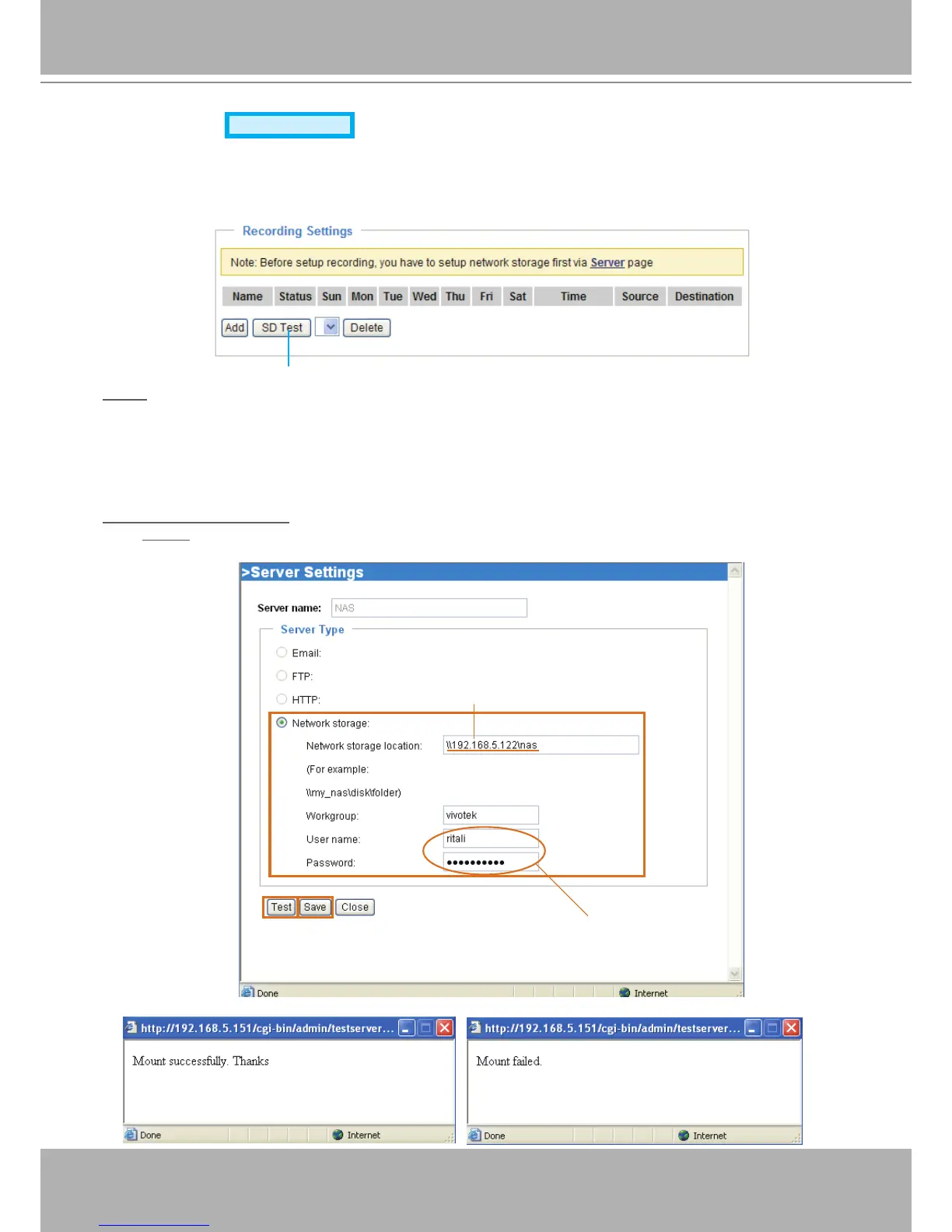
► Before setting up this page, please set up the Network Storage on the Server Settings page rst.
► Please remember to format your SD card when using for the rst time. Please refer to page 85 for
detailed information�
Network Storage Setting
Click Server to open the Server Settings page and follow the steps below to set up:
1� Fill in the information for your server�
For example:
2� Click Test to check the setting� The result will be shown in the pop-up window�



 To Next Page