EasyManua.ls Logo

Vivotek FD8133 - Page 81

Vivotek FD8133
146 pages
Print Icon
To Next Page IconTo Next Page
To Previous Page IconTo Previous Page
Loading...
VIVOTEK
User's Manual - 81
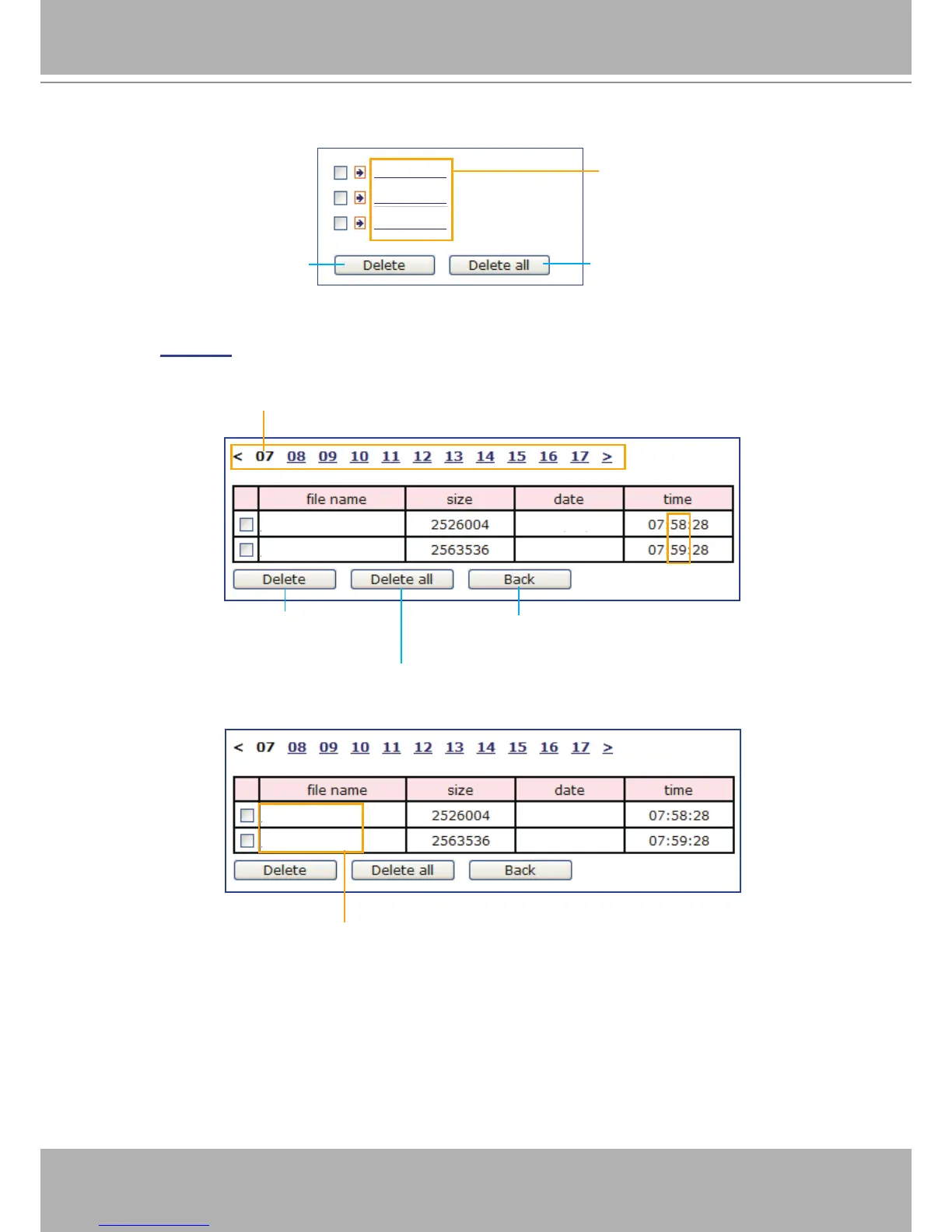
The following is an example of a le destination with video clips:
Click 20100323 to open the directory:
20100323
20100324
20100325
Click to delete selected items
Click to delete all recorded data
The format is: YYYYMMDD
Click to open the directory
2010/03/23
2010/03/23
Video Clip_58.mp4
Video Clip_59.mp4
Click to delete
selected items
Click to delete all
recorded data
Click to go back to the previous
level of the directory
The format is: HH (24r)
Click to open the le list for that hour
2010/03/23
2010/03/23
Video Clip_58.mp4
Video Clip_59.mp4
The format is: File name prex + Minute (mm)
You can set up the le name prex on Media Settings (Video Clip) page.
Please refer to page 78 for detailed information�

Table of Contents

Other manuals for Vivotek FD8133

Related product manuals