NOTE
►
Up to 5 privacy mask windows can be set up on the same screen�
► If you want to delete the
privacy mask
window, please click the ‘x’ on the upper right-hand corner of
the window�
Sensor Settings
Advanced Mode
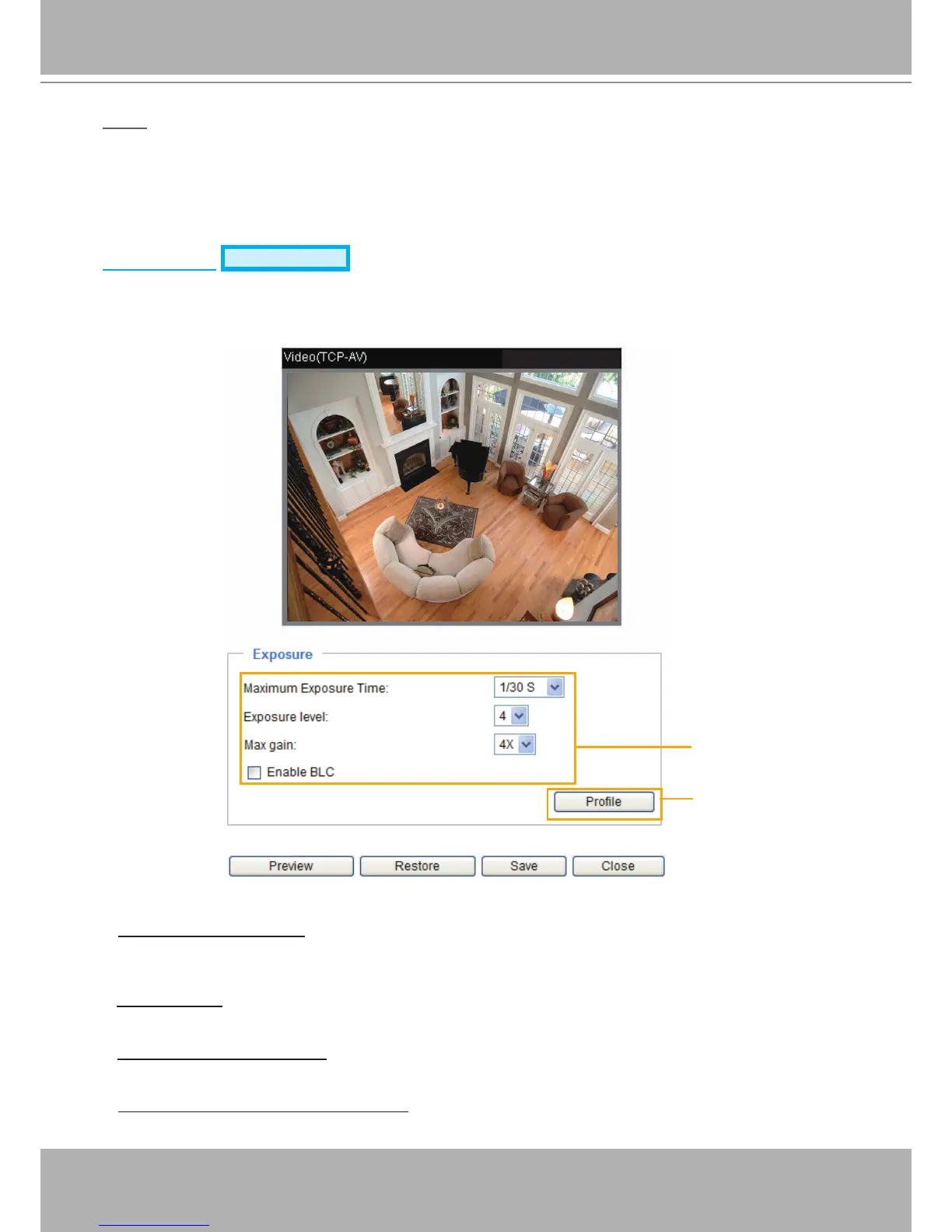
Click Sensor Settings to open the Sensor Settings page. On this page, you can set the maximum
exposure time, exposure level, and AGC (Auto Gain Control) settings.
You can congure two sets of sensor settings: one for normal situations, the other for special situations,
such as day/night/schedule mode�
Exposure
■ Maximum Exposure Time: Select a proper maximum exposure time according to the light source of
the surroundings. Shorter exposure times result in less light. The exposure times are selectable for the
following durations: 1/30 second, 1/15 second, and 1/5 second�
■ Exposure level: You can manually set the Exposure level, which ranges from 1 to 8 (dark to bright).The
default value is 4�
■ Max gain (Auto Gain Control): You can manually set the AGC level (2X 4X, or 8X). The default value is
4X.
■ Enable BLC (Back Light Compensation): Enable this option when the object is too dark or too bright
to recognize� It allows the camera to adjust to the best light conditions in any environment and
automatically give the necessary light compensation�



 To Next Page