VIVOTEK
100 - User's Manual
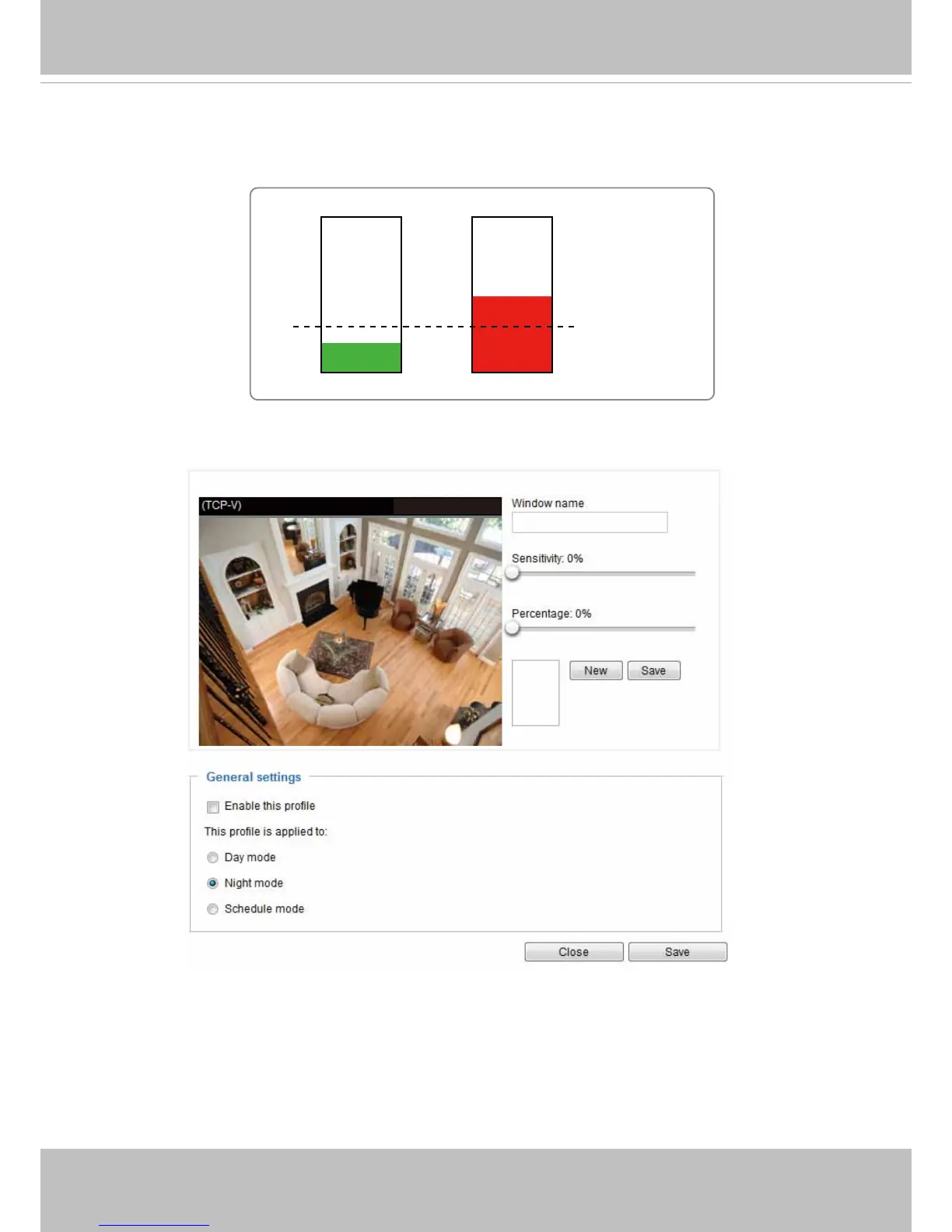
A green bar indicates that even though motions have been detected, the event has not been triggered
because the image variations still fall under the dened threshold.
If you want to congure specic motion detection settings individually for day/night/schedule operations,
please click Prole to open the Motion Detection Prole Settings page as shown below. A total of three
motion detection windows can be congured on this page as well.
Please follow the steps beolw to set up a prole:
1� Create a new motion detection window�
2� Check Enable this prole�
3� Select the applicable mode: Day mode, Night mode, or Schedule mode� Please manually enter a time
range if you prefer the Schedule mode�
4� Click Save to enable the settings and click Close to exit the page�
This motion detection window will also be displayed on the Event settings page� You can go to Event >
Event settings > Trigger to choose it as a trigger source� Please refer to page 87 for detailed information�
Percentage = 30%
2011/03/21 17:08:56



 To Next Page