VIVOTEK
82 - User's Manual
Media > Audio
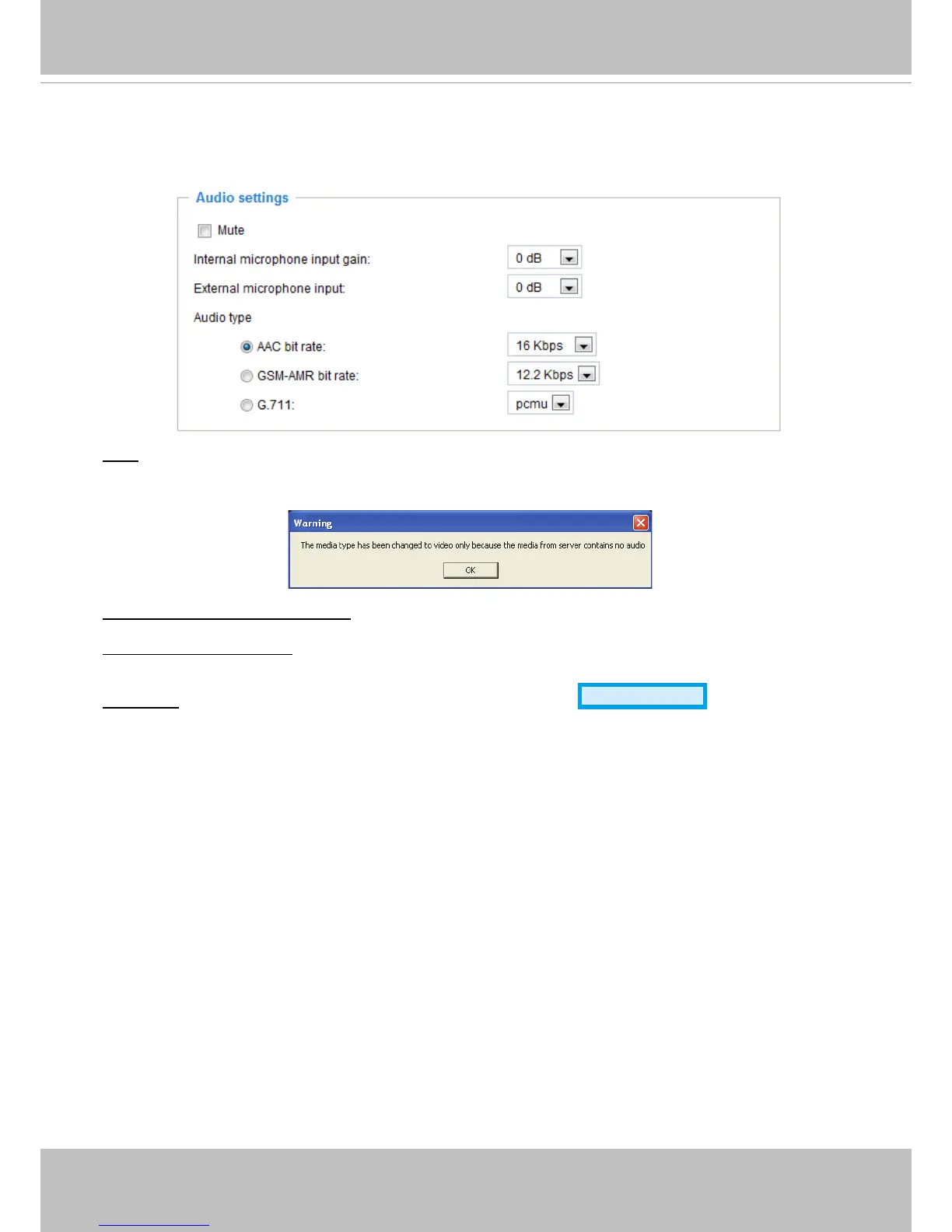
Audio Settings
Mute: Select this option to disable audio transmission from the Network Camera to all clients� Note that
if mute mode is turned on, no audio data will be transmitted even if audio transmission is enabled on the
Client Settings page� In that case, the following message is displayed:
Internal microphone input gain: Select the gain of the external audio input according to ambient
conditions� Adjust the gain from +21 db (most sensitive) or -33 db (least sensitive)�
External microphone input: Select the gain of the external audio input according to ambient conditions�
Adjust the gain from +21 db (most sensitive) or -33 db (least sensitive)�
Audio type: Select audio codec AAC or GSM-AMR and the bit rate
Advanced Mode
�
■ AAC provides good sound quality at the cost of higher bandwidth consumption. The bit rates are
selectable from: 16Kbps, 32Kbps, 48Kbps, 64Kbps, 96Kbps, and 128Kbps�
■ GSM-ARM is designed to optimize speech quality and requires less bandwidth. The bit rates are
selectable from: 4�75Kbps, 5�15Kbps, 5�90Kbps, 6�7Kbps, 7�4Kbps, 7�95Kbps, 10�2Kbps, and
12�2Kbps�
■ G.711 also provides good sound quality and requires about 64Kbps. Select pcmu (μ-Law) or pcma
(A-Law) mode�
When completed with the settings on this page, click Save to enable the settings�



 To Next Page