VIVOTEK
110 - User's Manual
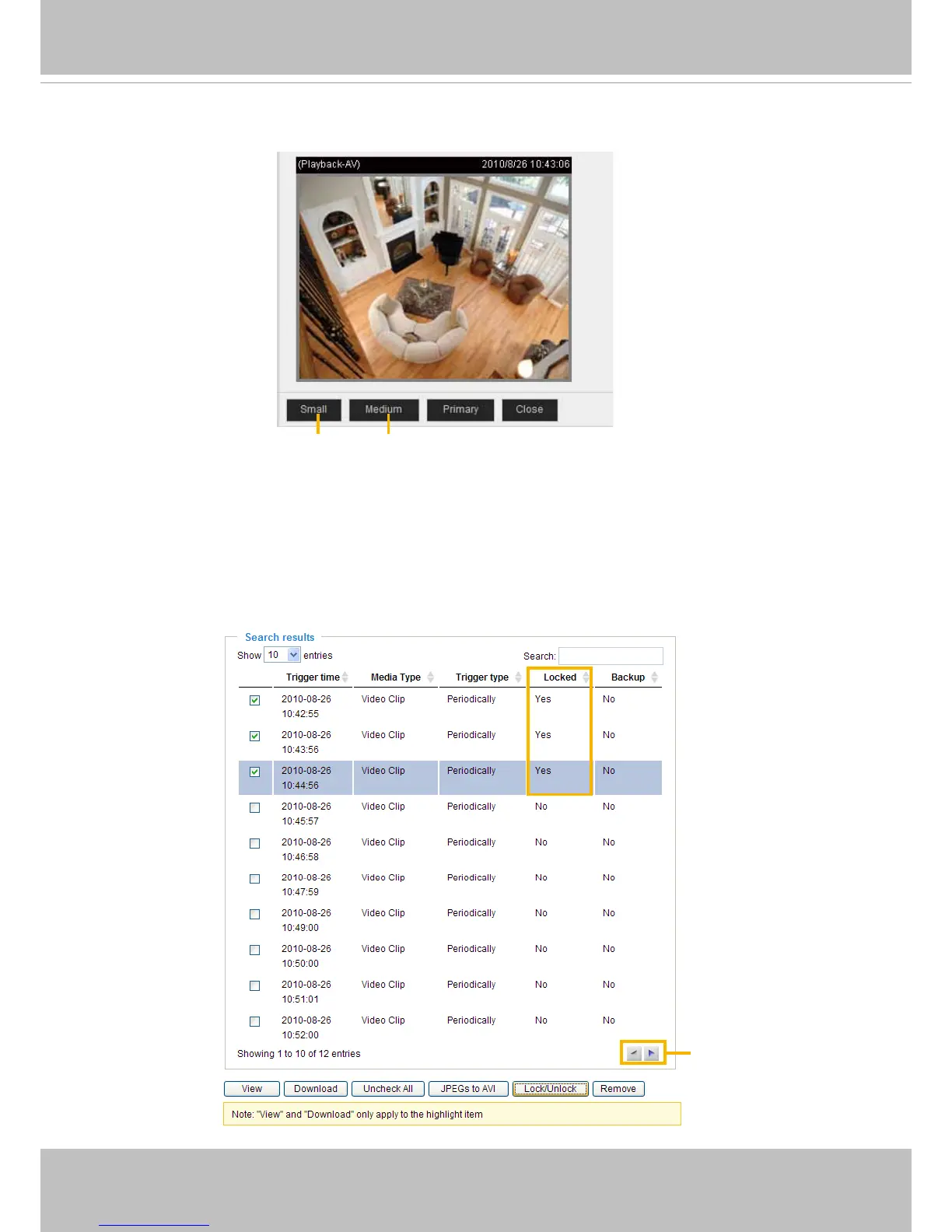
■ View: Click on a search result which will highlight the selected item in purple as shown above. Click the
View button and a media window will pop up to play back the selected le.
For example:
■ Download: Click on a search result to highlight the selected item in purple as shown above. Then click
the Download button and a le download window will pop up for you to save the le.
■ JPEGs to AVI: This function only applies to “JPEG“ format files such as snapshots. You can select
several snapshots from the list, then click this button� Those snapshots will be converted into an AVI
le.
■ Lock/Unlock: Select the desired search results, then click this button. The selected items will become
Locked, which will not be deleted during cyclic recoroding� You can click again to unlock the selections�
For example:
■ Remove: Select the desired search results, then click this button to delete the les.
Click to adjust the image size
Click to browse
pages



 To Next Page