VIVOTEK
50 - User's Manual
3� When all settings are complete, move the Network Camera to the protected LAN by connecting it to
an 802�1x enabled switch� The devices will then start the authentication automatically�
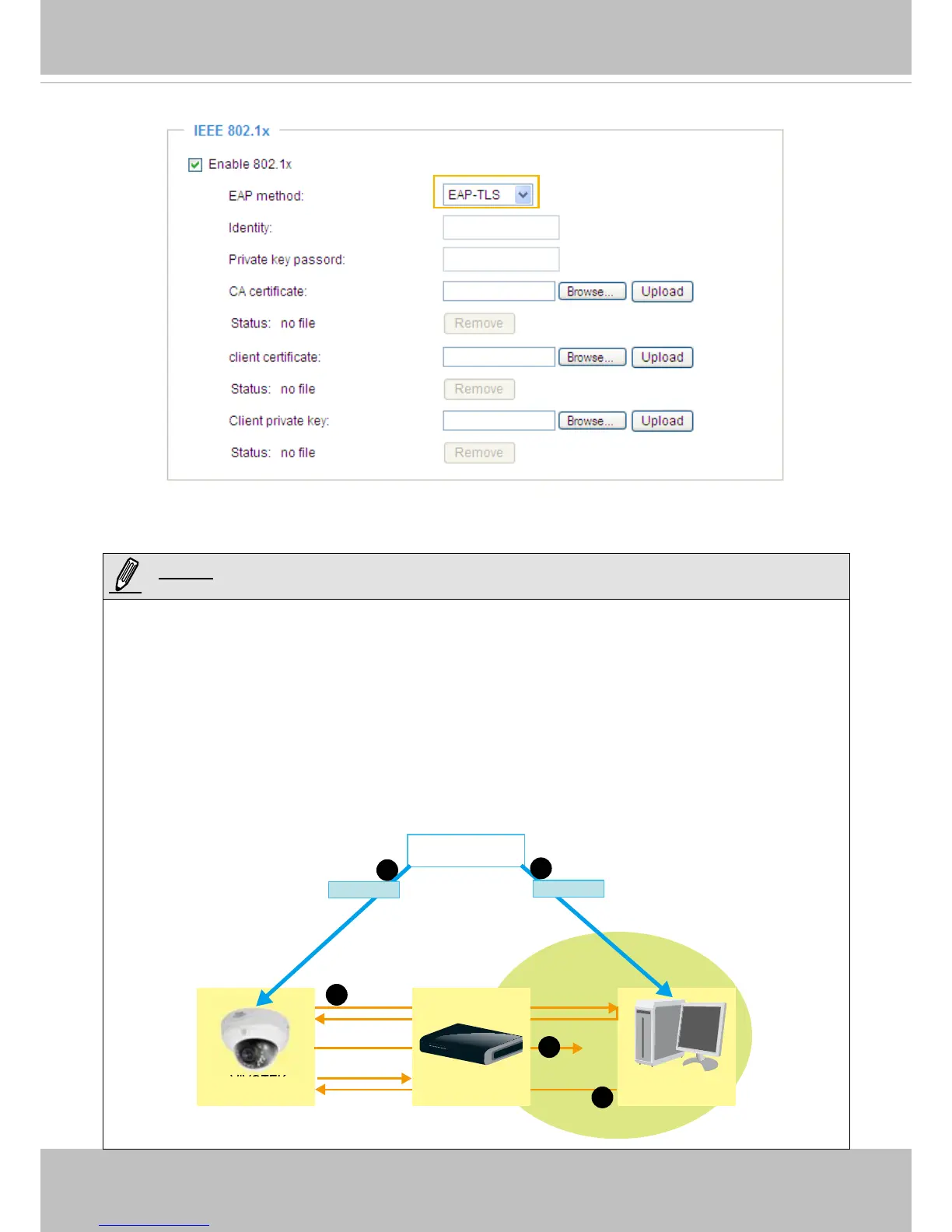
► The authentication process for 802�1x:
1� The Certicate Authority (CA) provides the required signed certicates to the Network Camera (the
supplicant) and the RADIUS Server (the authentication server)�
2� A Network Camera requests access to the protected LAN using 802�1X via a switch (the
authenticator). The client offers its identity and client certicate, which is then forwarded by the switch
to the RADIUS Server, which uses an algorithm to authenticate the Network Camera and returns an
acceptance or rejection back to the switch�
3. The switch also forwards the RADIUS Server’s certicate to the Network Camera.
4� Assuming all certificates are validated, the switch then changes the Network Camera’s state to
authorized and is allowed access to the protected network via a pre-congured port.
VIVOTEK
Network Camera
RADIUS Server
Certificate Authority
(CA)
Protected LAN
Certificate
1
1
2
3
4
Network Switch
Certificate



 To Next Page