VIVOTEK
User's Manual - 75
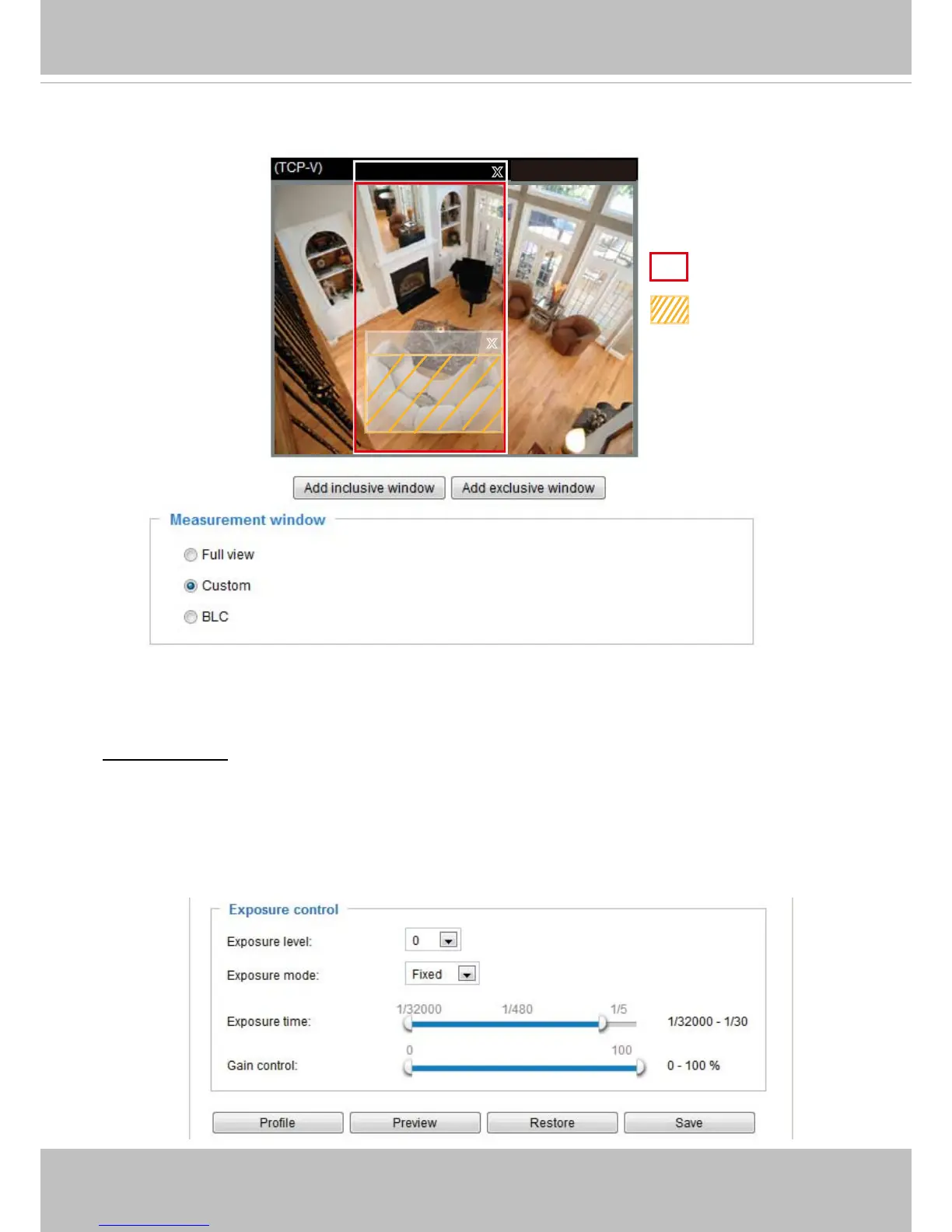
The inclusive window refers to “weighted window“; the exclusive window refers to “ignored window“� It
adopts the weighted averages method to calculate the value�
■ BLC (Back Light Compensation): This option will automatically add a “weighted region“ in the middle of
the window and give the necessary light compensation�
Exposure control:
■
Exposure level: You can manually set the Exposure level, which ranges from -2�0 to +2�0 (dark to
bright)�
■
Exposure mode: Select Auto or Fixed mode according to your needs�
Fixed: Select Fixed to set a fixed exposure time and gain� Then, tune the slider bar to set the
Exposure time and Gain Control to the best image quality� A shorter exposure time allows less amount
of light to enter the sensor; while a higher gain control value generates certain amount of noises�
2011/03/13 17:08:56
Weighted region
Ignored region
X
X
Exclude
Include



 To Next Page