VIVOTEK - Built with Reliability
User's Manual - 17
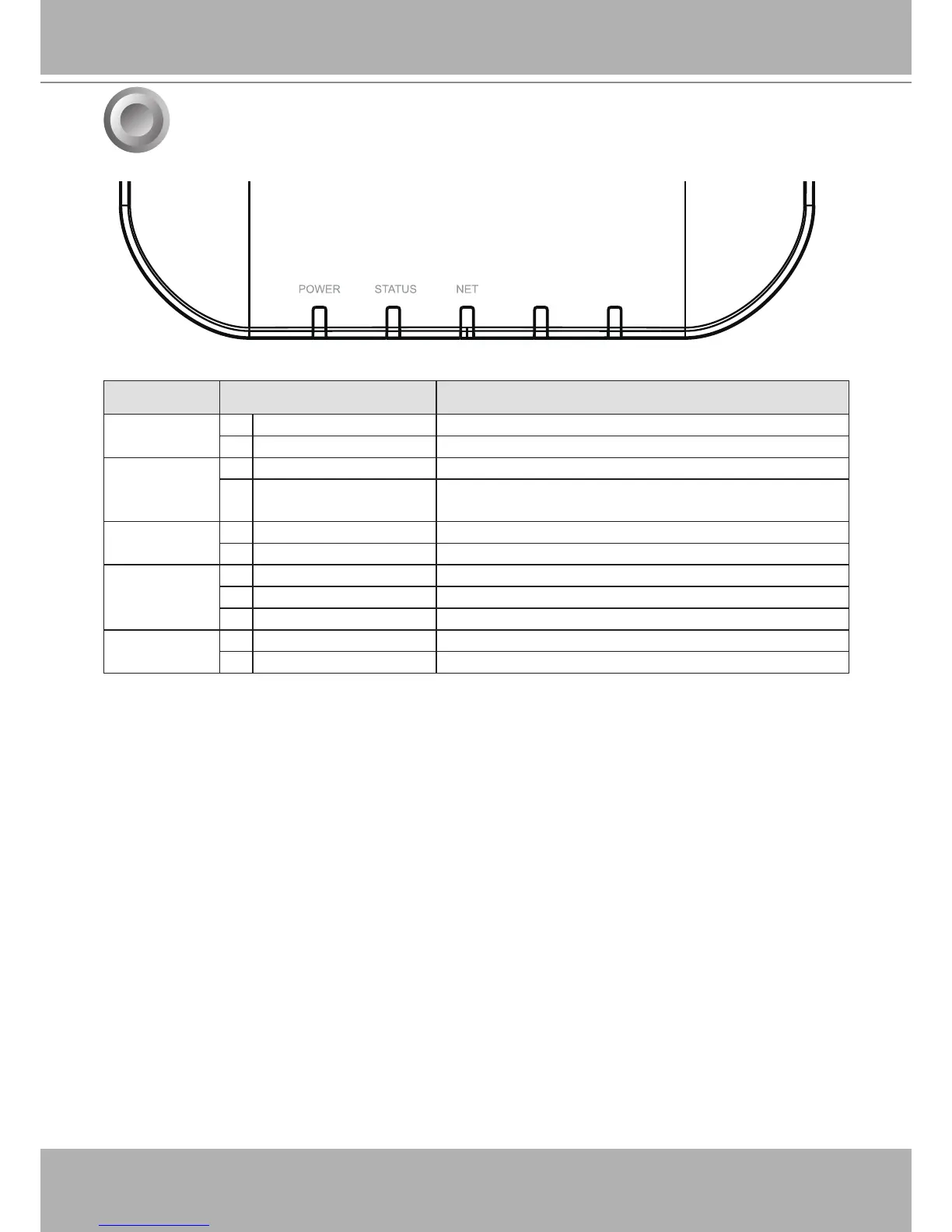
LED Indicators
7
CAMERA RESET
Name Behavior Denitions
1. Power
1 OFF Powered down.
2 Solid Green Device is up and running.
2. Status
1 Green solid System is ready.
2 Blinking Red every 1
second
Firmware or device pack is being updated.
3. NET
1 OFF The Ethernet port is disconnected.
2 Orange blinking Data is being transmitted and received.
4. Camera
1 Solid Green All congured cameras are online.
2 Solid Red One or more congued cameras is disconnected.
3 OFF No camera is connected.
5. Reset
1 Blinking Blue Reset or Restore to default is taking place.
2 OFF Normal status.


 To Next Page