VIVOTEK - Built with Reliability
User's Manual - 33
3-2. Settings
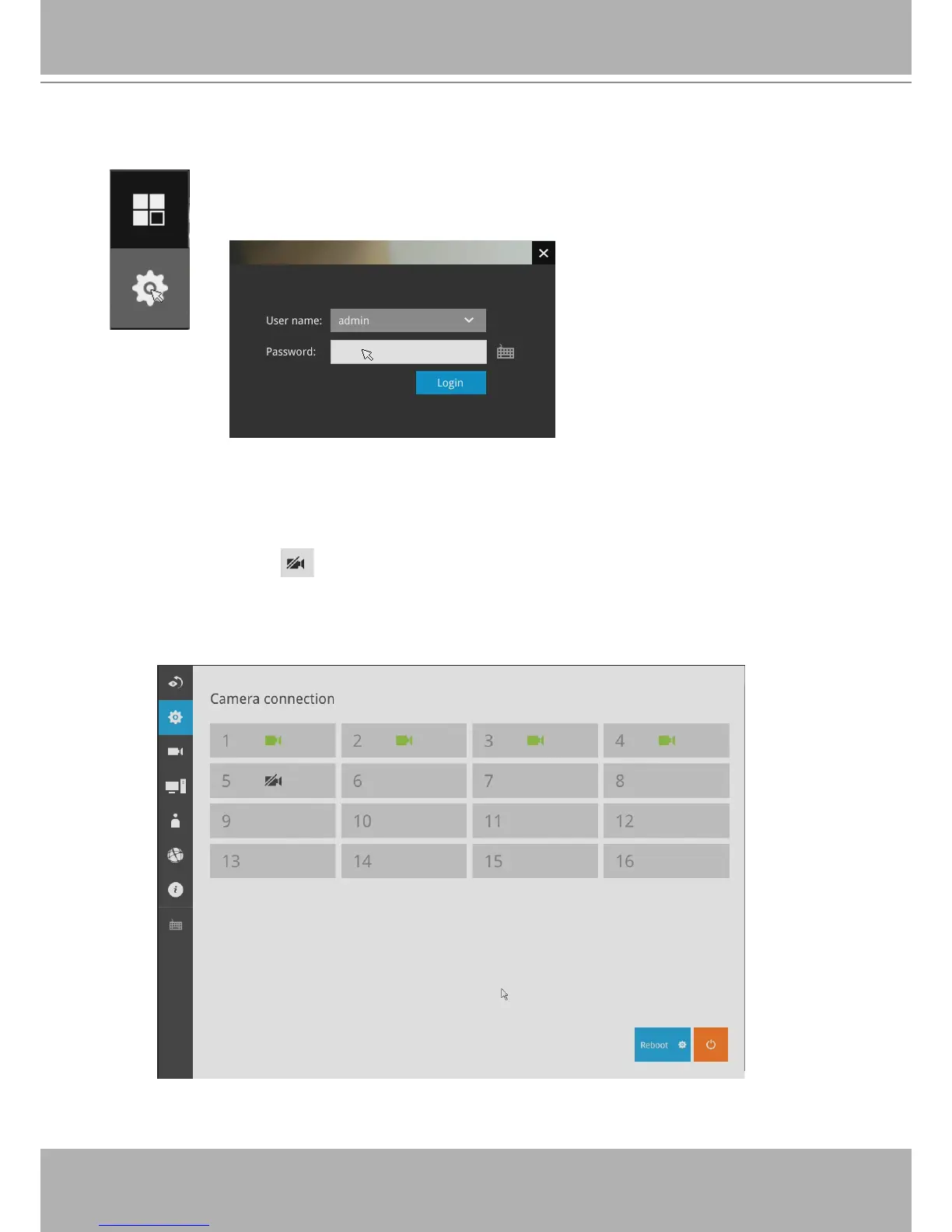
Click the
Settings
button to start the camera and system settings window. A
conrm box will prompt. Enter User name and Password to proceed.
The system will default to the overview page displaying the camera connection and
storage statuses. An empty position will be left in blank, and a disconnected camera will
be indicated as . The storage volume usage is displayed as the used and unused
spaces.
The
Reboot
, and
Power-down
buttons are also available on this page.
3-2-1. Settings - Overview


 To Next Page