VIVOTEK - Built with Reliability
34 - User's Manual
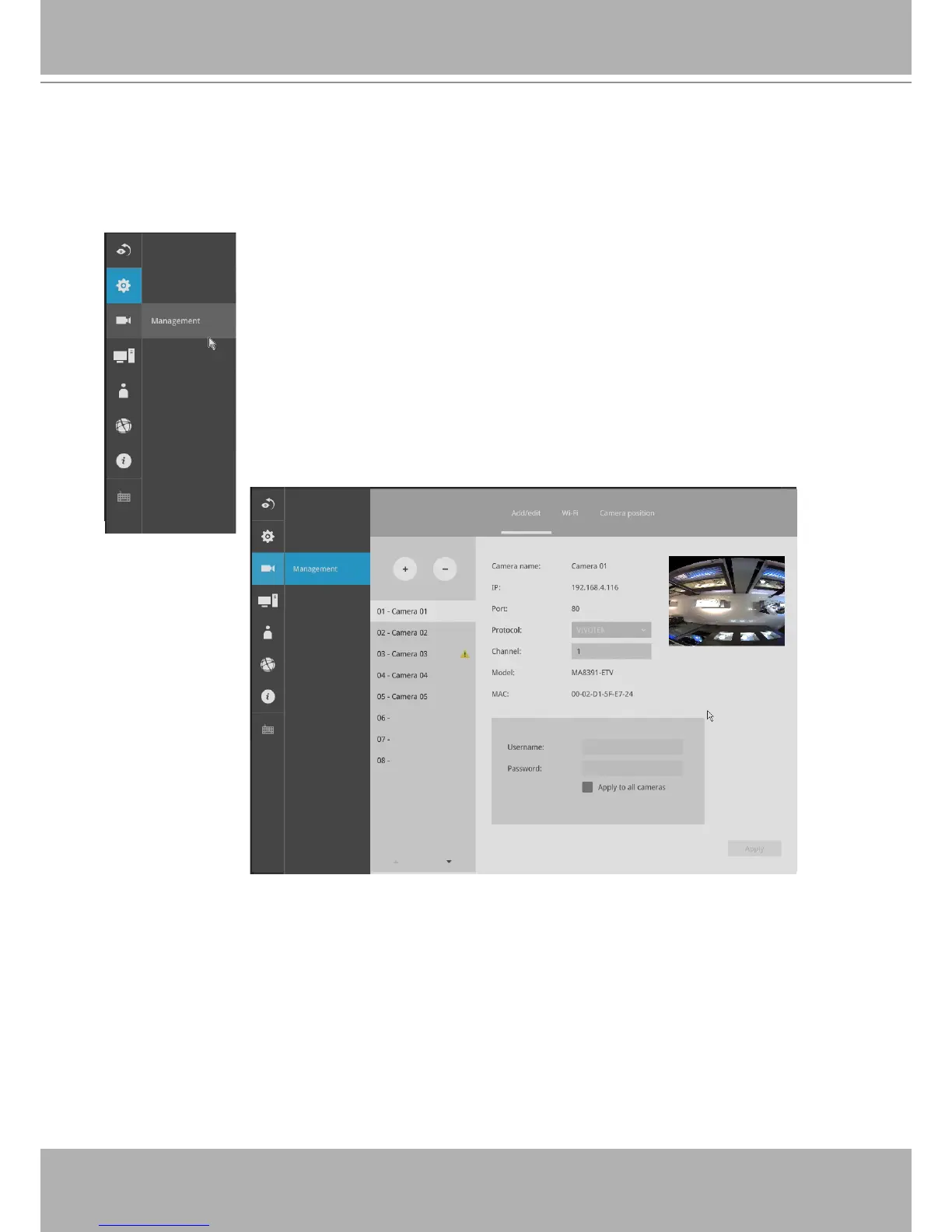
On the camera Management page, you can congure the following:
1. Recruit or disband cameras.
2. Assign User name and Password, or apply the credentials to all cameras in
your conguration.
3. Change the Network settings.
4. Change the cameras' positions on the layout screen.
3-2-2. Settings - Camera - Management
The Camera menu provides access to
Management
,
Recording
,
Media
,
Image
,
Motion
detection
, and
PTZ settings
pages.


 To Next Page